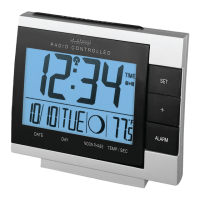
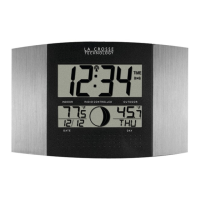
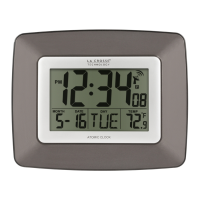
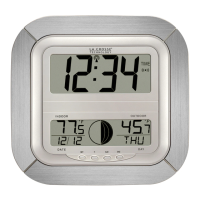
The La Crosse Technology WS-8418U-IT Atomic Wall Clock is a versatile device that provides time, date, indoor and outdoor temperature, and moon phase information. It features an atomic radio-controlled time function, ensuring accurate timekeeping, and includes an alarm with a snooze function. The clock is designed for both wall hanging and tabletop use, with integrated foldout stands.
Function Description:
The primary function of the WS-8418U-IT is to display the current time, which is synchronized with the WWVB radio signal for atomic accuracy. It also shows the month, date, and weekday. The clock monitors both indoor and outdoor temperatures, with the outdoor temperature being transmitted wirelessly from an external TX37U-IT sensor. A unique feature is the moon phase display, which illustrates 12 phases of the moon across 6 sections. The device includes an alarm function with a 10-minute snooze. Users can customize display modes to show weekday, seconds, and different temperature combinations. Low battery indicators are present for both the main clock unit and the outdoor sensor.
Important Technical Specifications:
- Model: WS-8418U-IT
- Instruction Manual DC: 062915
- Indoor Temperature Range: 14.1°F to +100°F (-9.9°C to +37.8°C)
- Outdoor Temperature Range: -39.8°F to +139.8°F (-39.8°C to +59.9°C)
- Outdoor Sensor (TX37U-IT) Transmission Distance: Over 330 ft. (100 meters) RF 915MHz (open air, not including walls)
- Outdoor Sensor Transmission Interval: About every 4 seconds
- Power (Atomic Clock): 2-AA, IEC, LR6 batteries (not included)
- Power (TX37U-IT Sensor): 2-AA, IEC, LR6 batteries (not included)
- Battery Life (Atomic Clock): Over 24 months
- Battery Life (TX37U-IT Sensor): Over 12 months
- Dimensions (Atomic Clock): 10.25" x 1.16" x 9.74" (260.6 x 29.5 x 247.5mm)
- Dimensions (TX37U-IT Sensor): 5.05" x 1.50" x 0.83" (128.3 x 38.2 x 21.2 mm)
- Time Zones: GMT 0 to +/-12h, including North American time zones (ATL, EST, CST, MST, PST, ALA, HAW).
- Language Options: English (US), French (F), Spanish (E), German (d).
- Time Format: 12/24 Hour
- Temperature Units: Fahrenheit/Celsius
Usage Features:
- Getting Started: Requires inserting 2 fresh AA batteries into the TX37U-IT sensor and 2 fresh AA batteries into the atomic clock, observing polarity. The sensor should be placed outside in a shaded location after 5 minutes.
- Setting Time, Date, and Temperature Units:
- Press the
SET button to enter time set mode.
- Use the
+ button to adjust values.
- Settings order: Time Zone, Daylight Saving Indicator, Language, Hour, Minutes, Year (2 digit), Month, Date, Weekday, 12/24 Hour Format, Fahrenheit/Celsius.
- Press
SET to exit or wait 15 seconds for automatic exit.
- Setting Alarm Time:
- Hold
ALM to enter alarm set mode.
- Use the
+ button to adjust values.
- Press
ALM to confirm adjustments.
- Setting order: Hour, Minutes.
- Press
ALM to exit or wait 15 seconds for automatic exit.
- Deactivate/Activate Alarm: Press
ALM once to toggle the alarm on/off. The alarm icon ((())) indicates activation.
- Snooze Function: Press
SNZ to silence an active alarm for 10 minutes. The alarm icon will flash during snooze. Press any other button to stop the alarm for 24 hours.
- Seconds Display Features: The
+ button cycles through four display modes for weekday, seconds, and temperatures.
- Default: month&date/weekday/indoor temperature/outdoor temperature.
- Mode 1: month&date/weekday/seconds/outdoor temperature.
- Mode 2: month&date/weekday/indoor temperature/seconds.
- Mode 3: month&date/seconds/indoor temperature/outdoor temperature.
- Pressing
+ a fourth time returns to the default display.
- WWVB Radio-controlled Time: The
WWVB Atomic Icon flashes when searching for the signal and becomes steady when the signal has been received within the past 24 hours. The clock searches for the signal for 1 hour between midnight and 6 am.
- Moon Phase Display: Shows 12 phases of the moon across 6 sections. Note that the display shows the lit part of the moon, which may appear opposite to a paper calendar (e.g., blank for new moon, dark for full moon).
- Low Battery Indicators:
TX icon: Replace batteries in the outdoor sensor.RX icon: Replace batteries in the atomic clock.
- Positioning Outdoor Sensor: Mount on a north-facing wall or in a well-shaded area, preferably under an eave or deck rail, to maximize transmission range and accuracy.
Maintenance Features:
- Battery Care:
- Do not mix old and new batteries.
- Do not mix Alkaline, Standard, Lithium, or Rechargeable batteries.
- Always use the correct size and grade of battery.
- Replace all batteries of a set at the same time.
- Clean battery contacts before installation.
- Ensure correct polarity (+ and -).
- Remove batteries if the equipment is not used for an extended period.
- Promptly remove expired batteries.
- Restart Procedure (for outdoor temperature dashes): Remove batteries from both the atomic clock and outdoor sensor. Press any button on the atomic clock 20 times. After 15 minutes, re-insert batteries following the "Get Started" steps.
- Warranty and Support: La Crosse Technology, Ltd. provides a 1-year limited warranty against manufacturing defects. Customer support is available via phone (1-608-782-1610) and online at www.lacrossetechnology.com/support. Product registration and full warranty details are also available online.

 Need help?
 General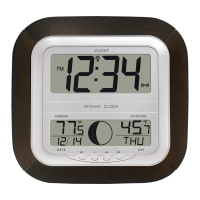



 To Next Page