EasyManua.ls Logo

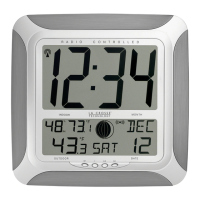
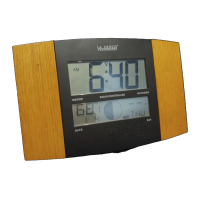
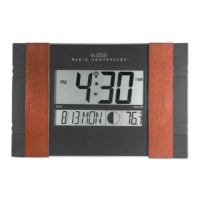
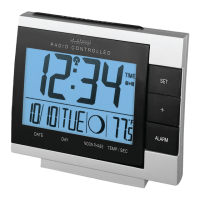
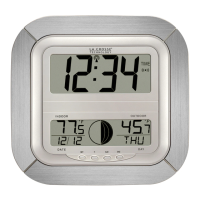
La Crosse Technology WS-8256-AL - User Manual

La Crosse Technology WS-8256-AL
20 pages
Print Icon
To Next Page IconTo Next Page
Loading...
WS-8256U
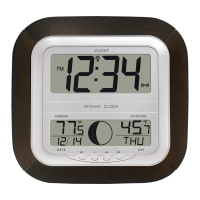
ATOMIC CLOCK WITH TEMPERATURE, HUMIDITY AND
WEATHER FORECAST
Instruction Manual
FEATURES:
Hanging holes
ATOMIC CLOCK:
LCD2
display
LCD1
display
Battery cover
Function keys
Foldable stands
WWVB Radio controlled time with manual time setting
Time display: hour, minute, second
Alarm setting with snooze function
Complete calendar display
Weekday display (3 languages to choose from: English, French and Spanish)
Time zone setting
Daylight savings time ON/OFF option (DST)
Indoor temperature and humidity display
Outdoor temperature display via 433MHz transmission
Wall mount or freestanding
Weather forecast with weather tendency indicator
1

Questions and Answers

  • T
    triveraJul 31, 2025
    What to do if my La Crosse Technology WS-8256-AL isn't receiving the WWVB signal?
    • C
      Charles ChanJul 31, 2025
      If your La Crosse Technology Clock isn't receiving the WWVB signal, try these steps: * Face the front of the clock towards Ft. Collins, Colorado, to improve reception. * Allow the clock to wait overnight for the signal to connect. * Ensure the clock is at least 6 feet (2 meters) away from electrical devices like TVs, computers, or other radio-controlled clocks. * Remove the batteries for five minutes, then reinsert them, and leave the unit undisturbed overnight without pressing any buttons.
  • C
    Charles KruegerAug 9, 2025
    What to do if 'OFL' appears on my La Crosse Technology WS-8256-AL?
    • R
      Ricky PowellAug 9, 2025
      If 'OFL' appears in the outdoor temperature section of the LCD on your La Crosse Technology Clock, it means the current temperature is outside the measuring range of the transmitter. Wait for the surrounding temperature to cool down or increase until it's within the transmitter's range. The outdoor temperature will be displayed again once the temperature is within range.
  • C
    carriehartAug 19, 2025
    How to fix a faint LCD on La Crosse Technology WS-8256-AL?
    • J
      Janice CooperAug 19, 2025
      If the LCD on your La Crosse Technology Clock is faint, replace the batteries.

Summary

ATOMIC CLOCK FEATURES AND OVERVIEW

ATOMIC CLOCK CAPABILITIES

Key features of the atomic clock, including radio-controlled time, alarm, calendar, and display options.

OUTDOOR TRANSMITTER CAPABILITIES

Details the outdoor transmitter's role in sending temperature data via 433MHz signals.

INITIAL SETUP AND BATTERY INSTALLATION

BATTERY INSTALLATION GUIDE

Step-by-step instructions for installing batteries in the atomic clock and outdoor transmitter.

CLOCK INITIAL SETUP PROCEDURE

Guide on initial setup, including battery order and required waiting periods for synchronization.

USING THE CLOCK FUNCTION KEYS

Explains the purpose and usage of the clock's SET, +, ALM, and SNZE function keys.

DISPLAY DETAILS AND MANUAL SETTINGS

LCD SCREEN LAYOUT AND ICONS

Identifies and explains the various sections and icons shown on the atomic clock's LCD.

MANUAL TIME, DATE, AND ZONE SETTINGS

Procedures for manually adjusting LCD contrast, time zone, DST, year, month, and date.

RADIO TIME AND LANGUAGE SELECTION

How to enable/disable WWVB radio time reception and select the display language.

CHANGING DISPLAY MODES

Instructions on cycling through different display modes for temperature, humidity, and seconds.

CLOCK OPERATION AND WEATHER FEATURES

ALARM AND SNOOZE FUNCTIONALITY

How to set, deactivate, and use the snooze function for the alarm.

WEATHER FORECAST INTERPRETATION

Explains weather icons, tendency arrows, and the forecast feature's accuracy.

OPTIMAL POSITIONING AND RECEPTION

Guidelines for optimal placement of units for signal reception and temperature accuracy.

TROUBLESHOOTING AND PRODUCT CARE

TROUBLESHOOTING COMMON ISSUES

Addresses issues like faint LCD, no WWVB signal, incorrect time, and temperature display errors.

PRODUCT CARE AND SPECIFICATIONS

Provides guidance on cleaning, maintenance, and the device's technical specifications.

WARRANTY AND SUPPORT INFORMATION

Details warranty coverage, limitations, and contact information for assistance.

La Crosse Technology WS-8256-AL Specifications

General IconGeneral
BrandLa Crosse Technology
ModelWS-8256-AL
CategoryClock
LanguageEnglish

Related product manuals