Page| 9
SET BUTTON
• Hold for 3 seconds to enter the SET mode, where the following can be changed: LCD contrast,
Manual time setting, 12/24 hour time display, Date setting, °F/°C temperature unit, Wind speed unit,
Rainfall unit, Pressure unit, Relative pressure reference setting, Weather tendency threshold setting,
Storm warning threshold setting, Storm Alarm On/ Off setting, Wind direction display type and Factory
reset
• Press to toggle between the display of Mode 1 or Mode 2:
o Mode 1: "Wind speed + 24 hr. pressure history graph"
o Mode 2: "Gust + 72 hr. pressure history graph"
• In the weather alarm setting mode, press to switch the weather alarm On/Off
• In the weather alarm setting mode, hold to adjust the weather alarm value
• Stop the weather alarm when ringing
▲/DATE BUTTON
• Press to toggle between the display of seconds or date in the time display
• Press to increase the level of different settings in SET mode
• Hold to re-learn the thermo-hygro sensor synchronization
• Press to reset the MIN/MAX record when in MIN/MAX display mode
• Stop the weather alarm when ringing
▼/RAIN BUTTON
• Press to switch the rainfall display mode: Total, 1h, 24h, week, month
• Press to decrease the level of different settings in SET mode
• Hold to synchronize the display with the gateway
• Stop the weather alarm when ringing
ALARM BUTTON
• Press to enter the time alarm and weather alarm setting mode
• Confirm particular alarm setting
• Press to exit the manual setting mode
• Stop the alarm when the time alarm or weather alarm rings
• Press to exit MIN/MAX record display mode
• Stop the weather alarm when ringing
MIN/MAX BUTTON
• Press to display minimum and maximum records of various weather data
• Stop the weather alarm when ringing
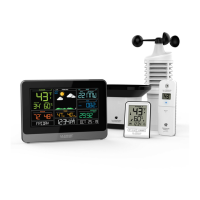
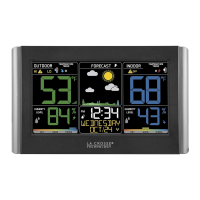
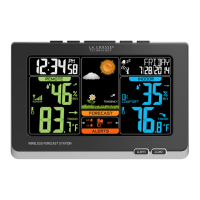
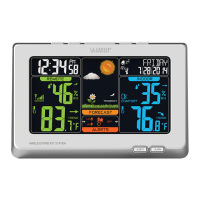
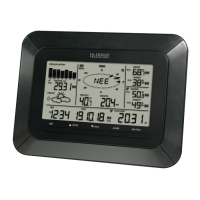
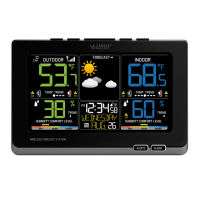
LCD SCREEN



 To Next Page