EasyManua.ls Logo

La Crosse Technology C87214 - User Manual

La Crosse Technology C87214
16 pages
Print Icon
To Next Page IconTo Next Page
Loading...
Model: C87030/C87214
Instructional Manual
DC: 061015
Table Of Contents
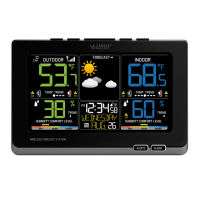
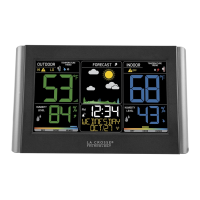
Wireless Color Forecast Station
Temperature Trend Indicator
Humidity Trend Indicator
HI/LO Temp/Humidity Readings
Using Multiple Sensors
Changing Sensors Channels
Sensor Search
Heat Index Dewpoint
Low Battery Icon
Outdoor Sensor Positioning
WWVB Atomic Time Signal Search
Care and Maintenance
Warranty and Support Information
Specications
FCC Statement
Button Location
Initial Setup
Button Functions
Backlight Adjustment
Comfort Levels
LCD Layout
Time Setting Order
Set Time Alarm
Activate/Deactivate Time Alarm
Snooze
Forecast Indicator
Forecast Icons
Temperature and Humidity Alerts
Set Alerts
1
......................................
..............................
............
...................
3
.................
......
4
..................
...............
4
....................................
5
.........................
6
..............................
8
......
8
..........................................
8
..........................
9
................................
9
11
........
..
......................
................
12
........................
12
...............
12
....
13
.....................
13
....
13
...................................
14
..................................
....
9
......................................
10
.................................
15
..................................
12
11
12
.....................
11
10
...............

Other manuals for La Crosse Technology C87214

Question and Answer IconNeed help?

Do you have a question about the La Crosse Technology C87214 and is the answer not in the manual?

Summary

Button Location and Identification

Front View Buttons

Identifies and describes the function of buttons located on the front of the device.

Top View Buttons

Details the function of buttons situated on the top of the main forecast station unit.

Outdoor Sensor and Initial Setup

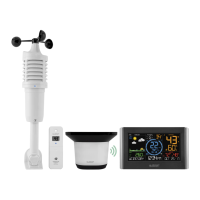
TX141 TH-BCH Outdoor Sensor Overview

Describes the outdoor sensor model and its components for setup.

Device Initial Setup Steps

Provides a step-by-step guide for setting up the forecast station and outdoor sensor.

Core Button Functions

SNOOZE;LIGHT Button Operations

Explains the functions of the SNOOZE/LIGHT button in normal and setting modes.

TIME SET Button Operations

Details the usage of the TIME SET button for time signal search and manual setting.

HEAT;DEW Button Functions

Describes how to view Heat Index, Dew Point, and search for sensors.

UP;DOWN Buttons for Adjustments

Explains the use of UP and DOWN buttons for adjusting values and changing channels.

Alert and Backlight Management

ALERTS and ALARM Button Usage

Details how to use the ALERTS and ALARM buttons for setting and managing alerts.

Understanding the LCD Display

Time Setting and Indoor Data

Time Setting and Alarm Configuration

Weather Forecasts and Alerts

Advanced Alert and Trend Settings

Troubleshooting and Maintenance Procedures

Summary

Button Location and Identification

Front View Buttons

Identifies and describes the function of buttons located on the front of the device.

Top View Buttons

Details the function of buttons situated on the top of the main forecast station unit.

Outdoor Sensor and Initial Setup

TX141 TH-BCH Outdoor Sensor Overview

Describes the outdoor sensor model and its components for setup.

Device Initial Setup Steps

Provides a step-by-step guide for setting up the forecast station and outdoor sensor.

Core Button Functions

SNOOZE;LIGHT Button Operations

Explains the functions of the SNOOZE/LIGHT button in normal and setting modes.

TIME SET Button Operations

Details the usage of the TIME SET button for time signal search and manual setting.

HEAT;DEW Button Functions

Describes how to view Heat Index, Dew Point, and search for sensors.

UP;DOWN Buttons for Adjustments

Explains the use of UP and DOWN buttons for adjusting values and changing channels.

Alert and Backlight Management

ALERTS and ALARM Button Usage

Details how to use the ALERTS and ALARM buttons for setting and managing alerts.

Understanding the LCD Display

Time Setting and Indoor Data

Time Setting and Alarm Configuration

Weather Forecasts and Alerts

Advanced Alert and Trend Settings

Troubleshooting and Maintenance Procedures

La Crosse Technology C87214 Specifications

General IconGeneral
BrandLa Crosse Technology
ModelC87214
CategoryWeather Station
Display TypeLCD
Outdoor Temperature Range-40°F to 140°F (-40°C to 60°C)
Humidity Range1% to 99%
Transmission Frequency433 MHz
Power Source (Remote Sensor)2 x AA batteries (not included)
Display BacklightYes
Time DisplayYes
MemoryMin/Max Temperature and Humidity Records
Mounting OptionsTabletop or Wall Mount
Indoor Temperature Range32°F to 122°F
Transmission Range330 ft
Power Source (Outdoor)2 x AA batteries (not included)
AlarmsTemperature alerts

Related product manuals