BATTERIES POWERED WITH THE USE OF AC/DC ADAPTER
If the Projection clock is first powered by batteries and the power adapter is subsequently used for extended
period of time, the main power source of the Projection clock will switch to AC/DC power. The batteries will
then act as a backup power source in case of power failure.
TO RESET THE PROJECTION CLOCK
To reset the Projection clock to the factory default setting or in case of a malfunction, please remove all
batteries from the unit and unplug the AC/DC adapter from any power source. Wait at least for 3 minutes
before powering up the Projection clock again.
FUNCTION KEYS:
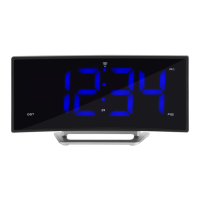
The radio-controlled Projection clock uses the following keys:
SNOOZE : Activate or deactivate snooze function
Alarm snooze function
: Activate the projection brightness at the highest level
: Exit the setting modes
: Back-light-On
AL/HR : Enter alarm setting mode
: Activate or deactivate alarm
: Stop alarm and snooze function
: Set the hours and day
: Back-light-On
MODE/MIN : Enter manual time setting mode
19





 To Next Page