NeoTherm LC Boilers and Water Heaters
Page 85
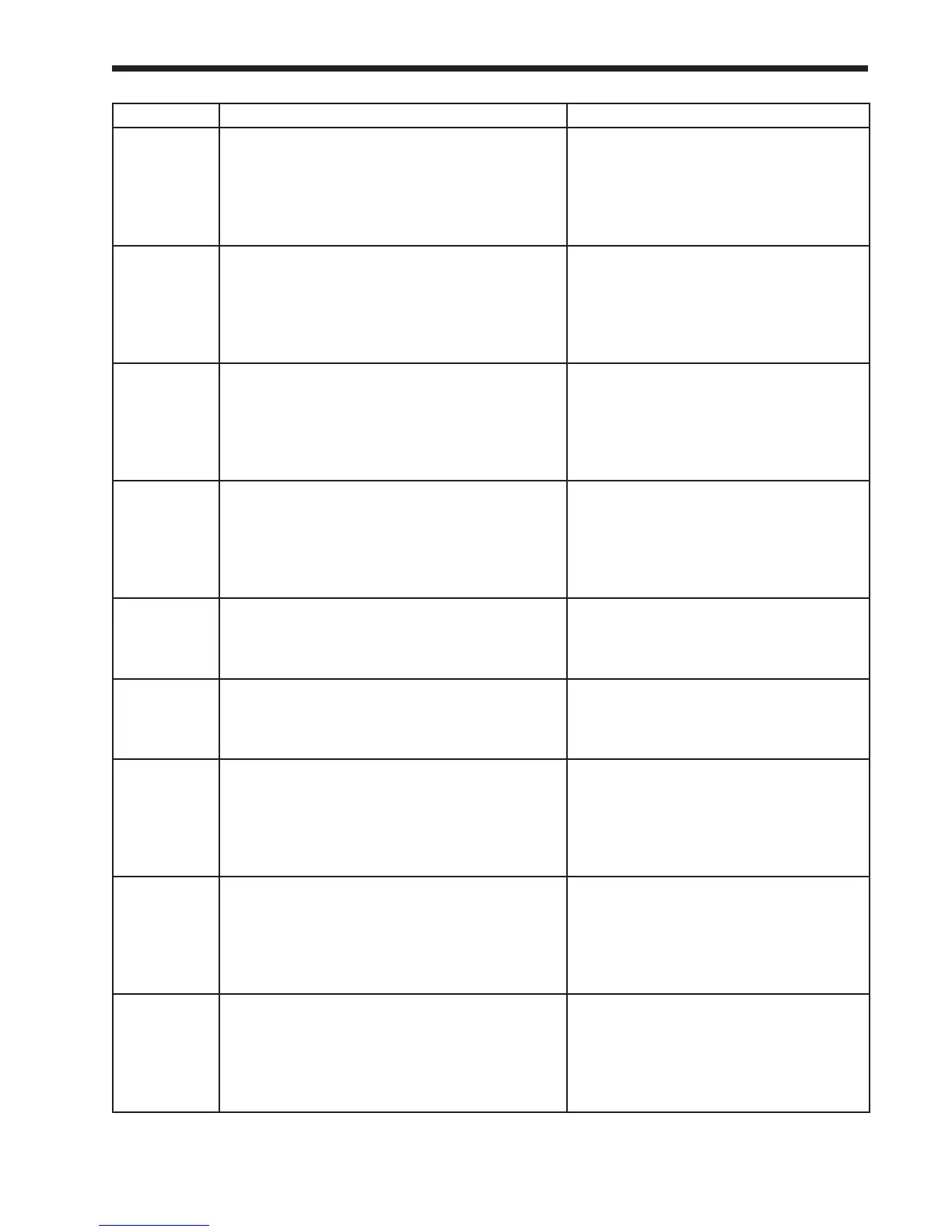
Label Description How to Reach
Lead lag D
gain
This is part of the damping function
(“Derivative”) used when the controller
interprets the input from the System sensor.
<’home’ screen> Lead/Lag Master button
<Lead/Lag Master screen> Congure
button <Lead/Lag Master Conguration
screen> Advanced Settings button/ Left-
or Right- arrow buttons <Modulation
screen>
Lead lag
DHW
demand
switch
This indicates source of the aquastat signal used
to control the Domestic Hot Water loop.
<’home’ screen> Lead/Lag Master button
<Lead/Lag Master screen> Congure
button <Lead/Lag Master Conguration
screen> Advanced Settings button/ Left-
or Right- arrow buttons <Domestic Hot
Water screen>
Lead lag
DHW has
priority over
CH
Choose Central Heating priority or Domestic
Hot Water priority.
<’home’ screen> Lead/Lag Master button
<Lead/Lag Master screen> Congure
button <Lead/Lag Master Conguration
screen> Advanced Settings button/ Left-
or Right- arrow buttons <Domestic Hot
Water screen>
Lead Lag
DHW
priority
override time
If Domestic Hot Water has priority, this sets
how long the DHW loop will continue to have
control after the DHW demand stops.
<’home’ screen> Lead/Lag Master button
<Lead/Lag Master screen> Congure
button <Lead/Lag Master Conguration
screen> Advanced Settings button/ Left-
or Right- arrow buttons <Domestic Hot
Water screen>
Lead lag
DHW
setpoint
This is the setpoint used for Domestic Hot Water
when the Lead/Lag system is enabled.
<’home’ screen> Lead/Lag Master button
<Lead/Lag Master screen> Congure
button <Lead/Lag Master Conguration
screen>
Lead lag
DHW TOD
setpoint
This is a different setpoint used for Domestic
Hot Water when the Lead/Lag system is enabled
and the input from the Time Of Day switch is
“true.”
<’home’ screen> Lead/Lag Master button
<Lead/Lag Master screen> Congure
button <Lead/Lag Master Conguration
screen>
Lead lag I
gain
This is part of the damping function (“Integral”)
used when the controller interprets the input
from the System sensor.
<’home’ screen> Lead/Lag Master button
<Lead/Lag Master screen> Congure
button <Lead/Lag Master Conguration
screen> Advanced Settings button/ Left-
or Right- arrow buttons <Modulation
screen>
Lead lag
master
enable/
disable
One of the controllers must be set up as the
Lead/Lag Master to supervise the Lead/lag
system. Usually this is the Primary controller on
Boiler 1. The master function must be disabled
on all of the other controllers. See the section
on “About Lead/Lag.”
<’home’ screen> Lead/Lag Master button
<Lead/Lag Master screen> Congure
button <Lead/Lag Master Conguration
screen>
Lead lag off
hysteresis
When the Lead/Lag function is enabled, the
control system will not shut off the boilers until
the temperature at the System sensor rises to the
Lead/Lag CH setpoint plus a hysteresis value
(normally about 10°F).
<’home’ screen> Lead/Lag Master button
<Lead/Lag Master screen> Congure
button <Lead/Lag Master Conguration
screen> Advanced Settings button/ Left-
or Right- arrow buttons <Modulation
screen>



 To Next Page