13. System configuration tutorial
38
D SERIES Lake Operation Manual rev 3.0.4
13. System configuration tutorial
D SERIES Lake Operation Manual rev 3.0.3
37
14. The B module is already a CL1way as default and can be used to drive the sub.
15. Tap Store/Recall EXIT to return to the Modules Menu.
16. Ensuring Module A (or any other module that you want to control) is selected (yellow border), tap I/O Cong.
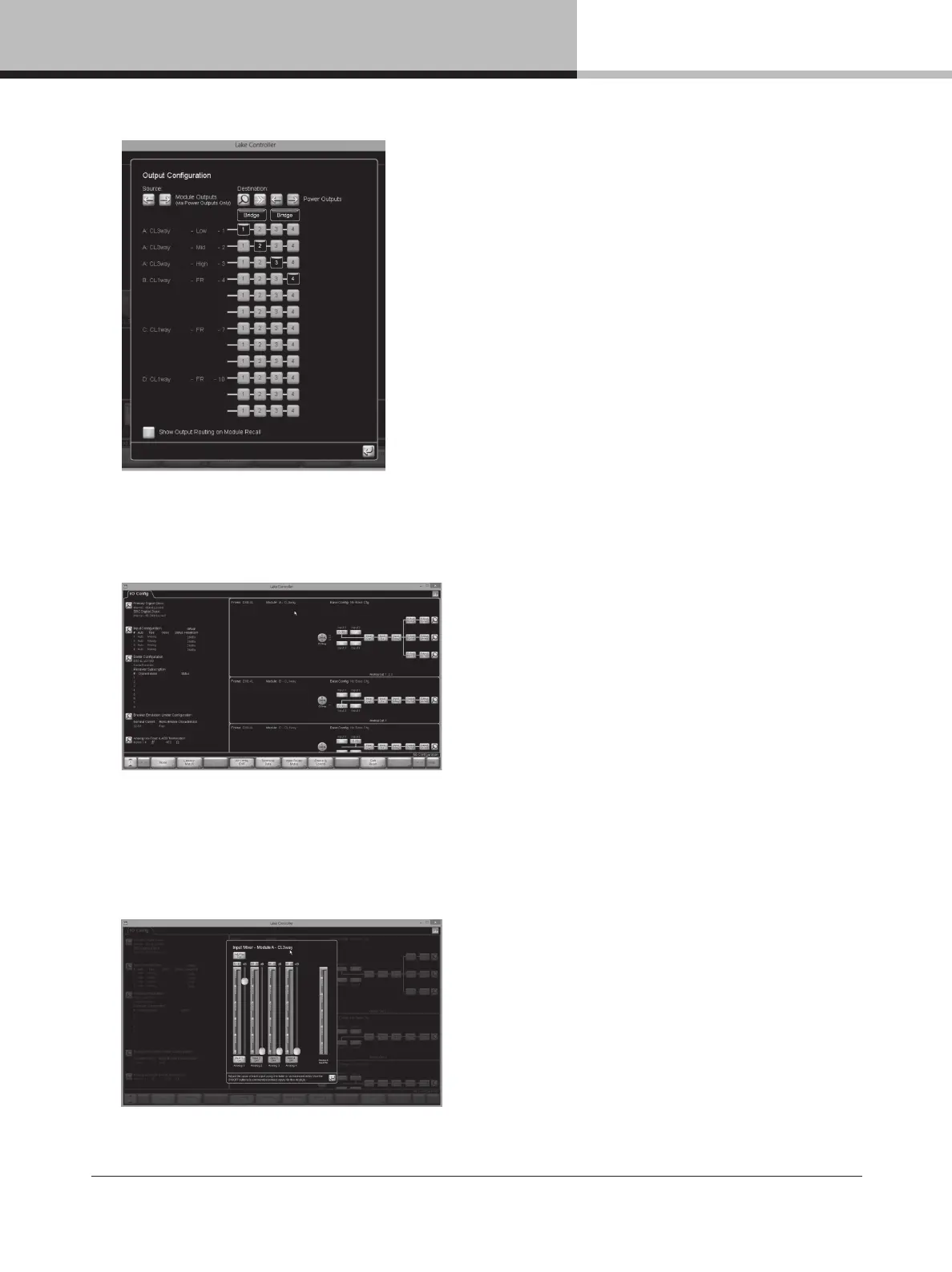
17. The right side of the I/O CONFIG screen displays a block diagram for the Modules. Tapping the different blue
blocks will access the conguration screens for Input mixer, Levels, Input EQ, Delay and Output EQ/Crossover
respectively. The magnifying glass at the far right end accesses the output conguration. (NOTE: Tapping the
blue return button (left arrow), or the EQ/Levels EXIT button in the menu bar returns to the I/O Cong screen
from the various conguration screens.)
Input Mixer Conguration – Drag sliders and tap ON/OFF buttons to control input mixer settings.

 To Next Page
 Loading...