Activity Guide
Tech-Design by Lab-Volt 23
Automation & Robotics Using the Feeder
Gravity Feeder
In this activity, you will create a program that makes the robot pick up parts from a feeder and drop them
into a metallic can. When the feeder becomes empty, the robot will remain at the home position until parts
are placed in the feeder.
Writing the Program
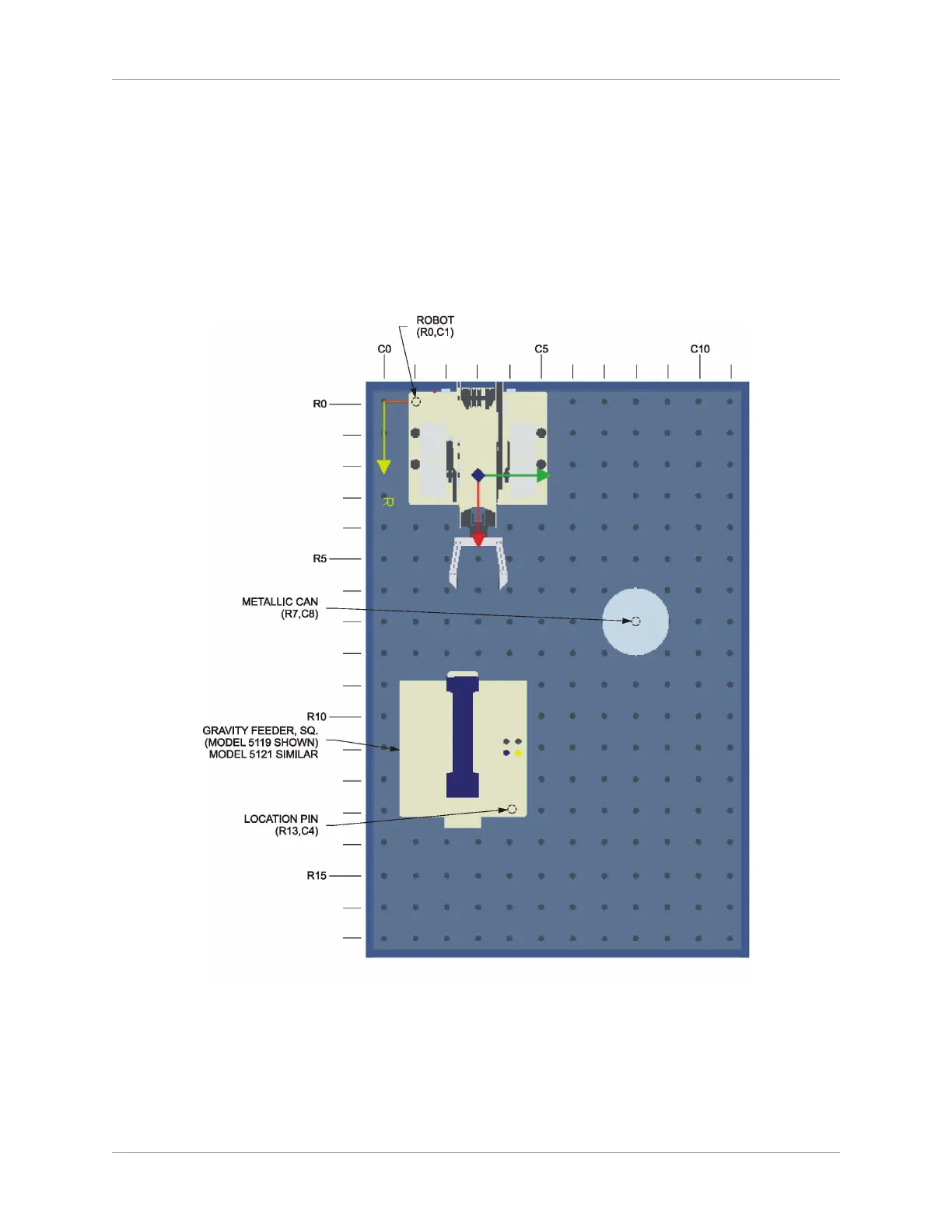
On the work surface, place the objects as shown below:1.
Gravity Feeder Set-Up
Connect the normally-open contact (yellow and black jacks) of the feeder microswitch to the TTL 2.
input 1 of the robot base. The microswitch will prevent the robot from trying to grasp a part when the
feeder becomes empty.
Open the 3. RoboCIM software. From the Welcome screen, select Create a new RoboCIM workspace.



 To Next Page