Activity Guide
Tech-Design by Lab-Volt 5
Automation & Robotics Basic Robotics
Using RoboCIM
In this activity, you will use the RoboCIM software in Simulation mode and in Control mode. You will rst
change the coordinates of each articulation and observe the motions performed by the robot displayed
in the View Display area. You will then observe the motions of the actual robot when you change the
articulation coordinates when in Control mode.
Setting up the System
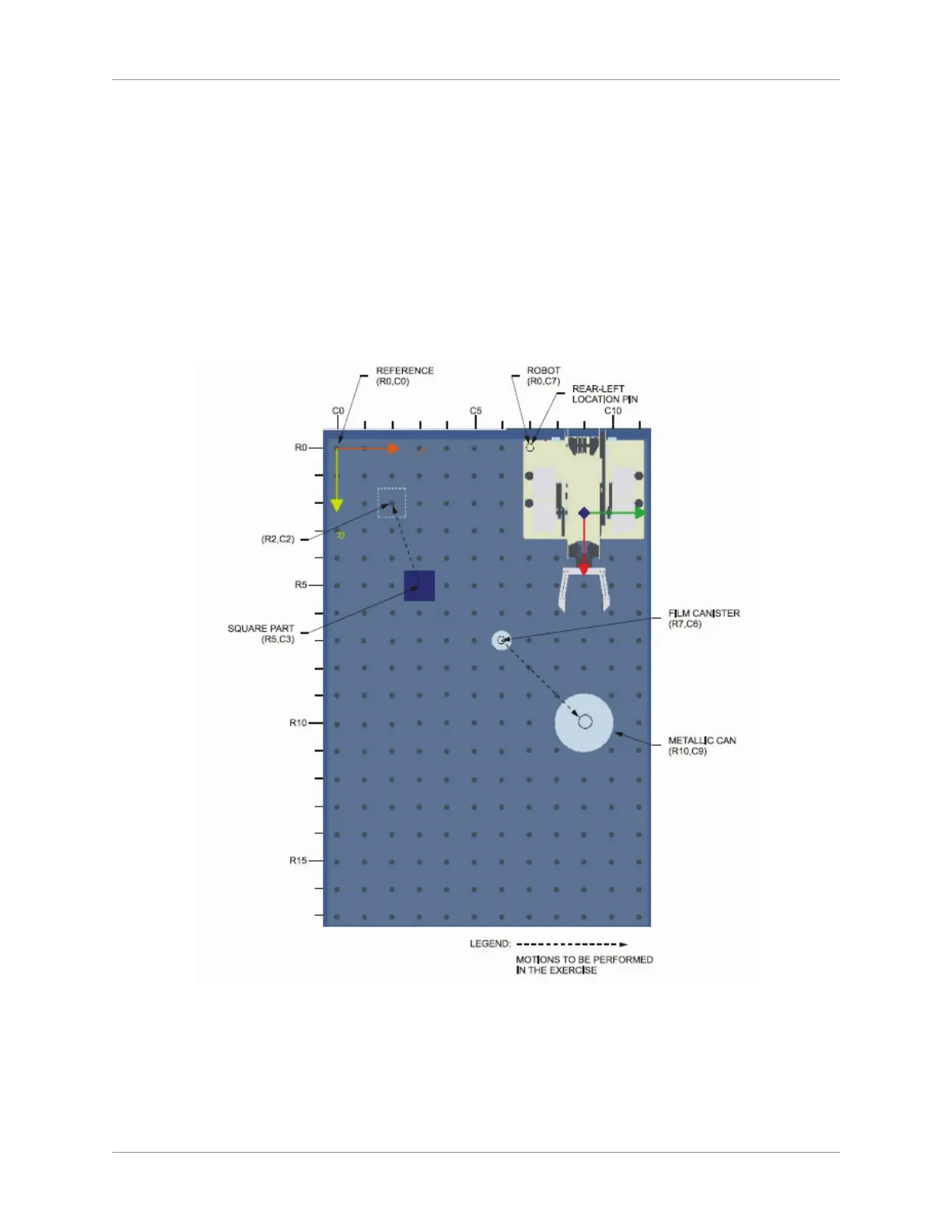
On the work surface, position the robot as indicated below (position R0, C7). Do not position the
accessories yet.
Equipment Position
Note: The equipment should be connected for all the exercises in this activity, as shown
below. If it is not, please ask your instructor for help.



 To Next Page