Activity Guide
20 Tech-Design by Lab-Volt
Robotics in Manufacturing Automation & Robotics
Industrial Application
In this activity you will create a program that simulates the spot welding of a metallic can. You will then
edit your program in order to insert extra welding points. Finally, you will create a program that simulates
the continuous welding of a steel plate.
Spot Welding Exercise
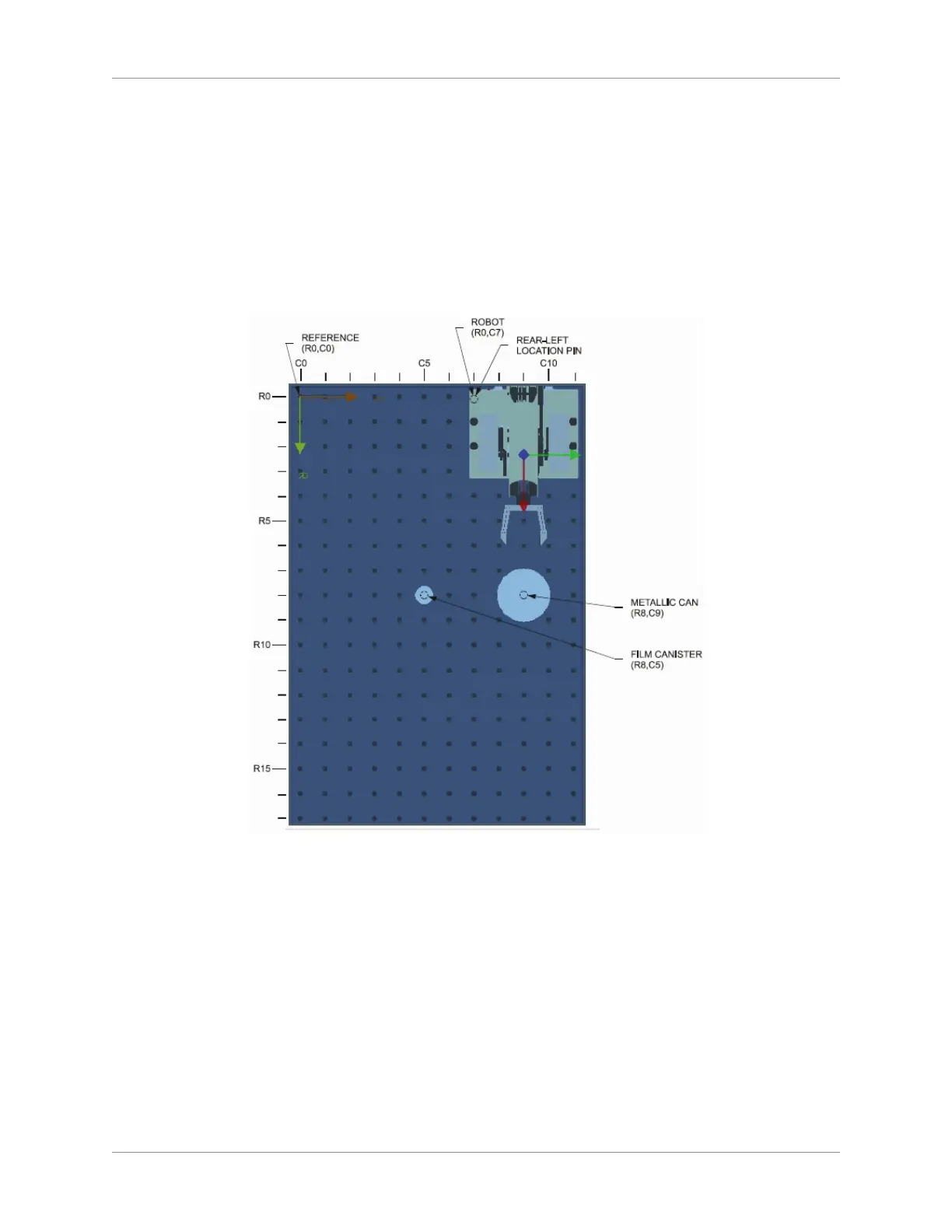
On the work surface, place the robot and the objects as shown below.1.
Spot Welding Set-Up
Open the 2. RoboCIM software. From the Welcome screen, select Create a new RoboCIM workspace.
Simulate the spot welding of four points on the contour of the metallic can, as shown in the graphic 3.
above. First, make four marks dividing the can circumference into four quadrants (marks A, B, C,
and D). These marks correspond to the four welding points.
Now create a program that will make the robot perform the following tasks in sequence:4.
Starting from the home position, close the gripper. The extremity of the closed gripper will a.
simulate the electrode tip.
Lower and position the tip to around 25 mm (1 in) right over mark A.b.
Slowly move the tip close to mark A without touching it. c.
NOTE: Do not touch the can with the tip–keep a minimum distance of 3 mm (0.125 in).



 To Next Page