Activity Guide
Tech-Design by Lab-Volt 25
Automation & Robotics Working with a Rotary Carousel
Rotary Carousel
In this activity you will experiment with the operation of the Lab-Volt Rotary Carousel. You will then create
a program that simulates a galvanizing process where the surface of an iron or steel work piece is dipped
into a bath of molten zinc.
Writing the Program
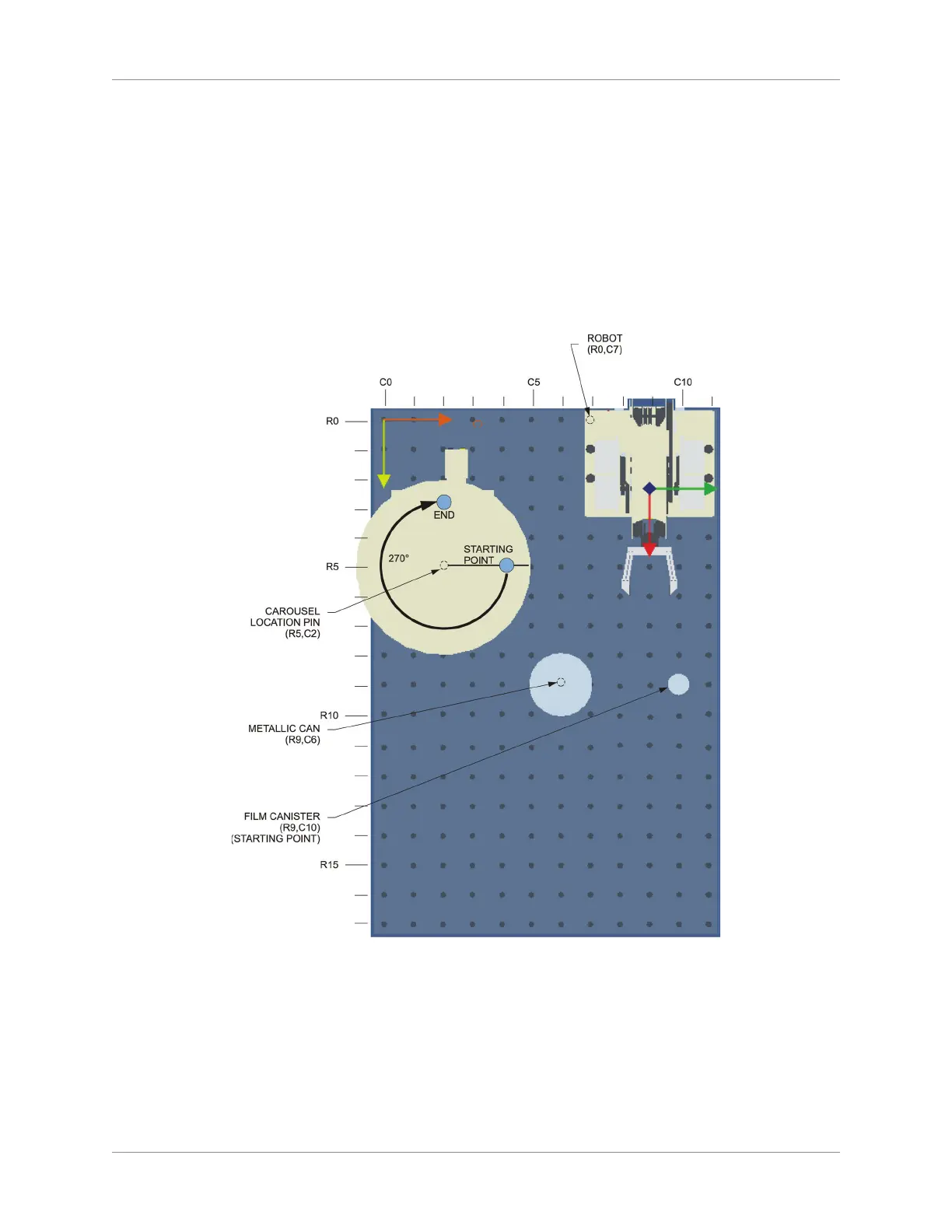
On the work surface, place the robot and the Rotary Carousel as shown below. Do NOT add the 1.
metallic can and the lm canister yet. This will be done later.
Rotary Carousel Set-Up
Connect the cable of the Rotary Carousel to the ACCESSORY output on the base of the robot.2.
Experiment with rotation of the carousel:3.
Open the 4. RoboCIM software. From the Welcome screen, select Create a new RoboCIM workspace.
Display the Object window for the carousel. Set the eld “Port” to “CH 1”.5.



 To Next Page