Activity Guide
16 Tech-Design by Lab-Volt
Editing Programs Automation & Robotics
Program Editing
In this activity you will edit the program you created in the Methods of Programming unit. You will rst
change the position of the metallic can; then you will insert a delay in the program to simulate a process in
which a part must be dipped into a product container for 5 seconds. Finally, you will reduce the speed at
which the lm canister is lowered into the metallic can.
Program Set-Up
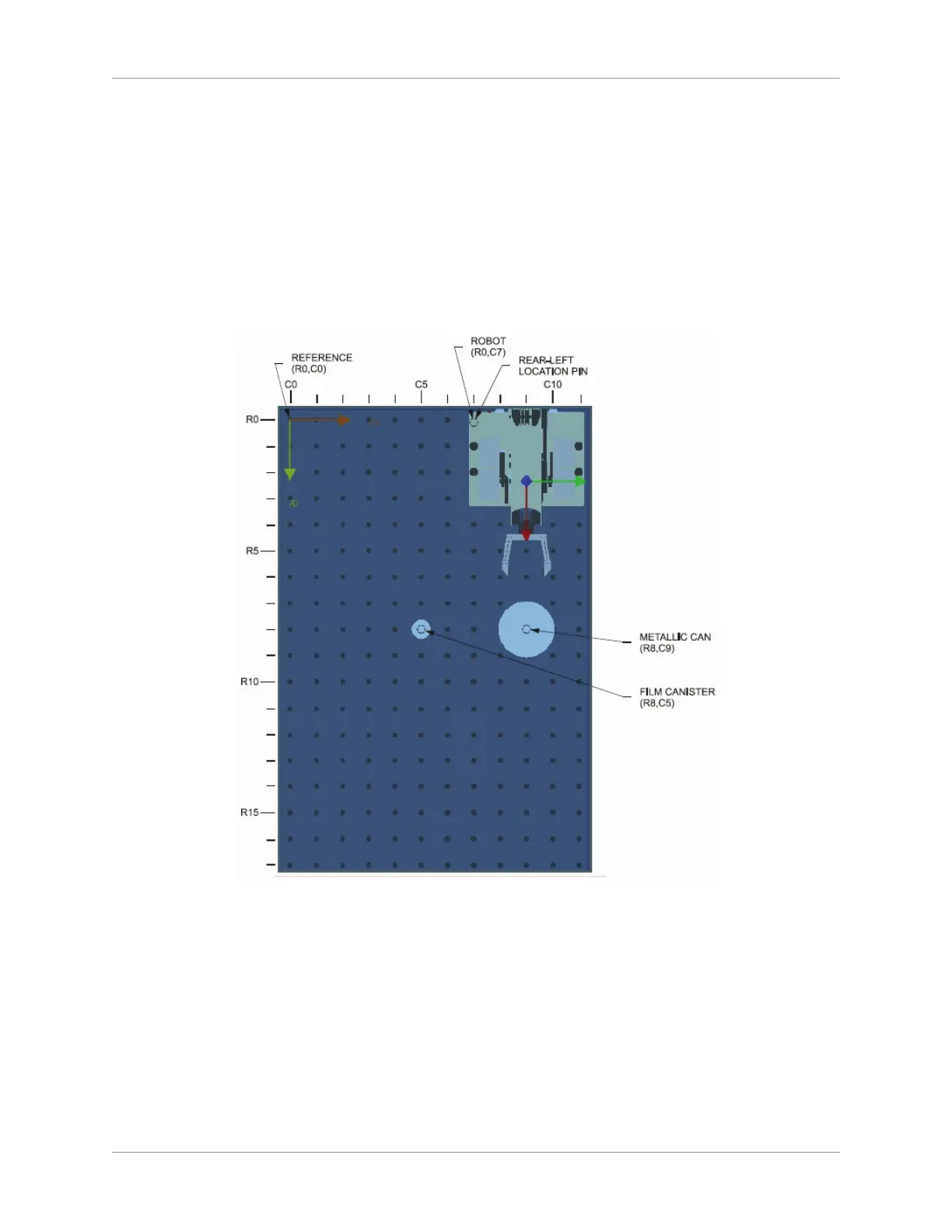
On the work surface, place the robot and the objects as shown below.1.
Equipment Position
Open the 2. RoboCIM software. Open the workspace/program that you created previously (Example
and your last name).The equipment shown in the RoboCIM view display should be positioned like
the actual equipment.
Select the Program tab to display the program.3.
Before you edit the program, you need to verify that it operates properly. Build and compile the 4.
program by selecting Compile from the Build menu of the Program window. If errors are detected,
correct them and start the compiling process again.
Run the program in the Simulation Mode:5.



 To Next Page