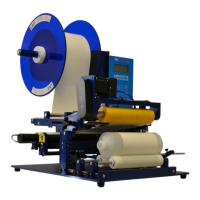
LM1012TTS Table-Top Label Applicator System
USER'S MANUAL
01/01/2022 Model LM1012TTS
SYSTEM SETUP
PROGRAMMING
All programming is performed via the keypad located on the front of the control box. All programmed settings are backed
in nonvolatile memory and are not lost when the unit is powered off.
Upon power up of the control, the screen will display MODEL NUMBER & REVISION of the control box and then the
MODEL NUMBER & REVISION of the labeler system. After this, the screen will now display the main screen and
counters.
KEY FUNCTIONS:
“PROG” PROGRAM KEY IS USED TO:
1. Enter and exit the program menu.
“ENTER” KEY IS USED TO:
1. Access or “Enter” the selected “PROGRAM BLOCK”. (example TAMP SETUP)
2. Access or “Enter” the data selection/options line of the “PROGRAM BLOCK” Sub Menus.
3. Store the selected data.
UP / DOWN ARROW KEYS ARE USED TO:
1. Scroll up & down through the primary menu “PROGRAM BLOCKS” . (Header name)
2. Scroll sub menus inside of “PROGRAM BLOCKS”.
START KEY:
1. Start key will initialize the application cycle.
STOP KEY:
1. Stop key will abort the application cycle.
ENABLE KEY:
1. Enable key will “Enable” the drive after it has been disabled.
DISABLE KEY:
2. Disable key will “Disable” the drive if it is currently enabled.
CLEAR KEY:
1. Clear key will delete stored values while in the edit mode.
ESC (escape) KEY:
1. Will back out of the sub programming menu without saving changes.


 To Next Page