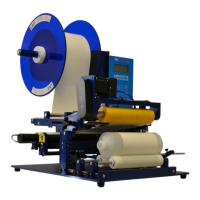
LM1012TTS Table-Top Label Applicator System
USER'S MANUAL
01/01/2022 Model LM1012TTS
SETUP OF KEY FEATURES
LABEL STOP POSITION
The LABEL STOP POSITION setting (in the Label Sensor menu) is used to electronically move the stop position of the
label on the applicator ONLY.
The setup below describes how to use the LABEL STOP POSITION. The STOP POSITION is used electronically offset
the stop of the label feed after the gap has been detected by the label sensor.
1. Set basic applicator up first, refer to quick start general setup.
2. Operate applicator at desired label speed.
3. Manually move the label sensor to adjust the label stop position. The proper stop position will be with the leading
edge of the label stopping flush with the tip of the peeler plate.
4. Operate the applicator again at the same speed.
5. Does the label stop at the tip of the peeler plate? Yes = task complete NO = continue
6. Enter a small distance in the LABEL STOP POSITION.
7. Operate system at the same speed again and check label offset.
8. Make the necessary adjustments to the LABEL STOP POSITION.
9. Test again; repeat if necessary until label is in proper registration to the peeler plate tip.
Note: The LABEL STOP POSITION distance CANNOT be greater than half the length of the label. If the STOP
POSITION distance is too large, inconsistent and double label feeding may occur.


 To Next Page