25
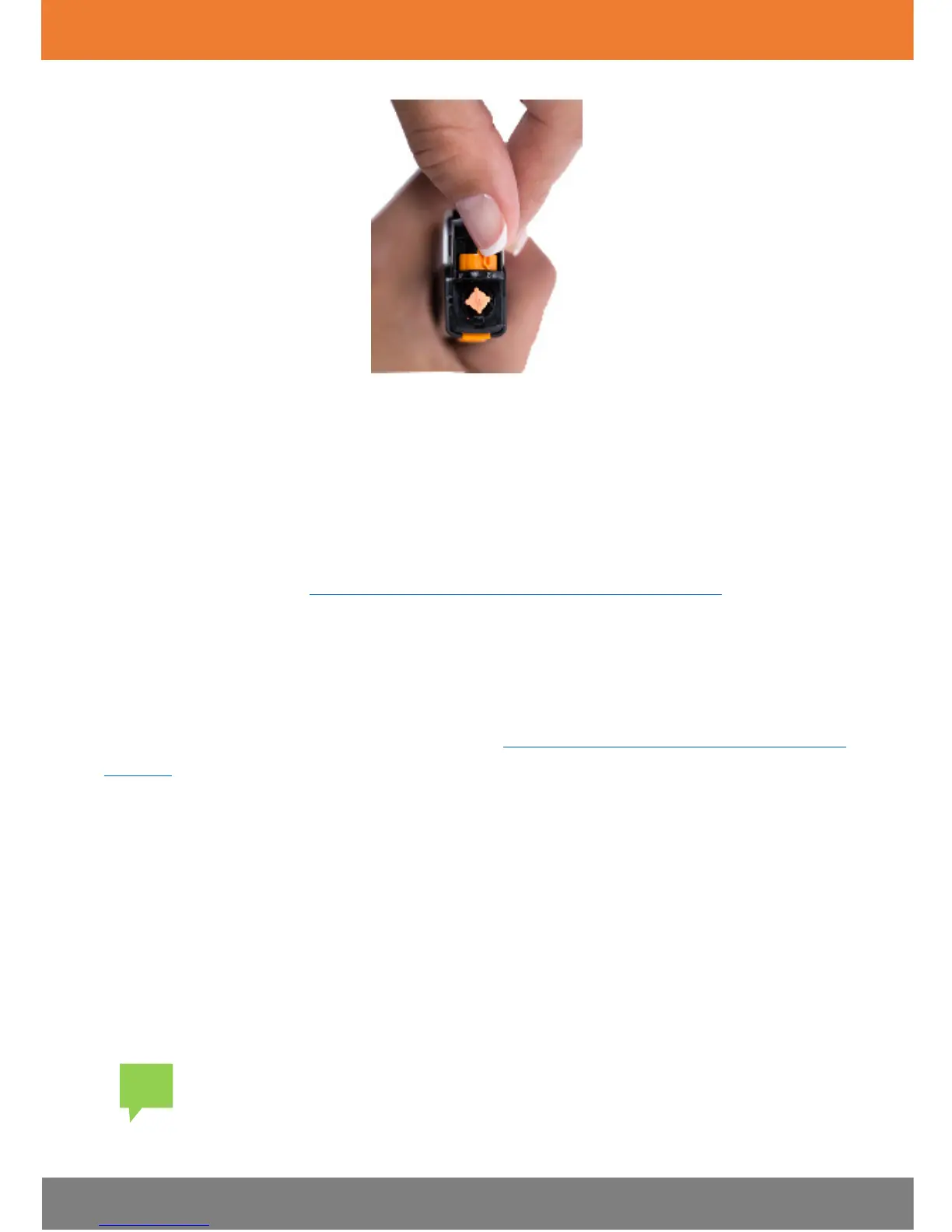
2. Replace the lancing device cover by sliding it into place until it clicks. Be
careful not to touch or bend the lancet.
The Dario App
The Dario App is available on the iOS operating system. For full list of
compatible devices, refer to the list of devices in
Supported Platforms for the
Dario App
on
18
or at www.mydario.com/support/getting-started.
Your Dario Glucose Meter is operated from the Dario App displayed on the
screen of your smart mobile device. The mobile device displays and stores
information received from the glucose meter. The Dario App also provides a
step-by-step quick guide for operating the system. Additionally, instructional
videos about the Dario App are located at www.mydario.com/support/getting-
started.
You can use the Dario App to conveniently store and manage your diabetes
information, review trends, or share information with your health care
provider.
Downloading and Installing the Dario App
You can download and install the Dario App to your smart mobile device using
the Apple App Store®. The Dario App downloads and installs just like any other
app on your smart mobile device. The Dario App is free of charge and is
customized for your smart mobile device.


 To Next Page