Lift up/down of EV400H
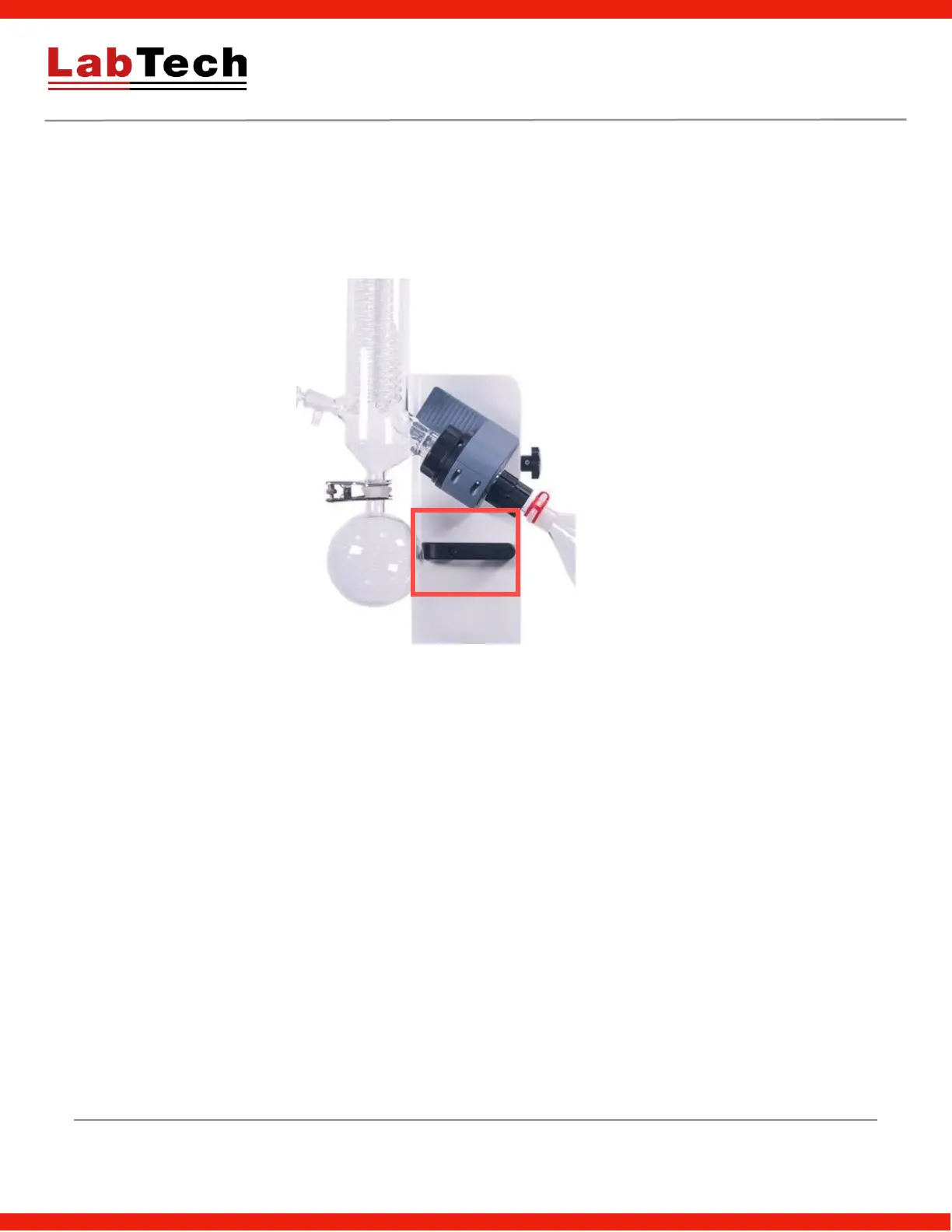
Firstly, set the rotation speed to minimum, switch on power, press the up/down control button inside the handle
as shown in below picture, lift up/down the rotary evaporator to suitable height. Loose the up/down button to fix
it.
Careful handling will avoid flask breakage.
Rotation sense of EV400H
In stop status (invalid in running state), press and hold the speed control knob for 3s until “LC” displayed, the
lower line displays code, input “9” by rotating the knob, then press the knob to enter the parameter set interface,
press the knob to display "dlF" which means rotation direction, rotation the knob to set dlF value. dlF=0 for
clockwise rotation, dlF=1 for counter clockwise rotation, press and hold control knob for 3s to save and quit the
setting interface.


 To Next Page