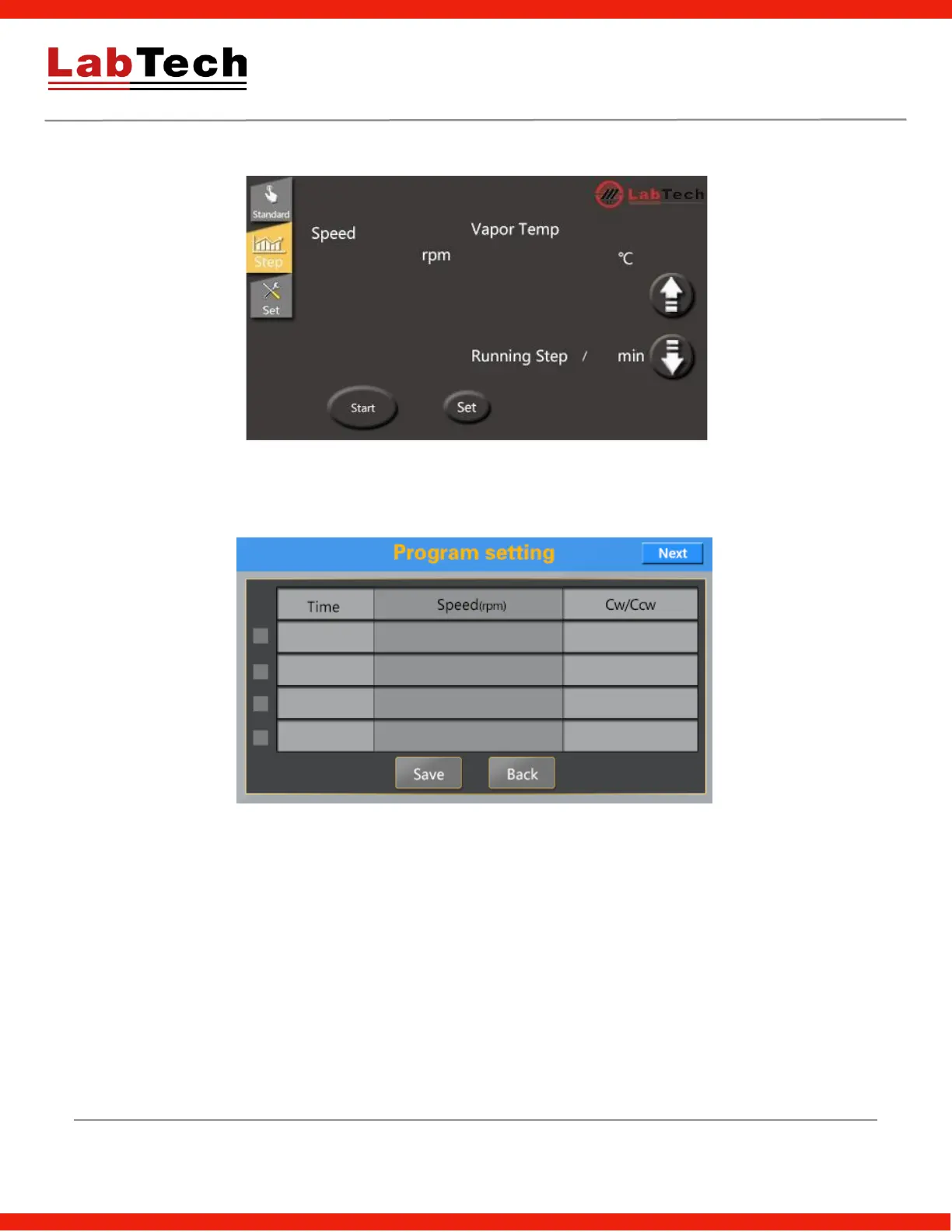
Step Control Mode
Running Step: In Step mode the current running step no. and running time of this step will be displayed.
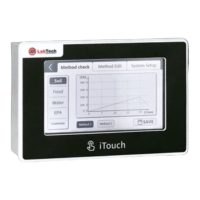
Set: Set step program in below picture
The EV400 Touch supports up to 8 steps with parameters including time, rotation speed, direction (0:
clockwise, 1: counter clockwise)
Choose checkbox to set different steps.


 To Next Page