When using deionized water, please add 0.2%
Na2B4O7*10H2O solvent for anti-corrosion.
Pour into the heating bath an appropriate volume of liquid. Connect the unit to the power, press the green button
to switch on the unit. Red to switch off.
HB-03PLUS Heating Bath
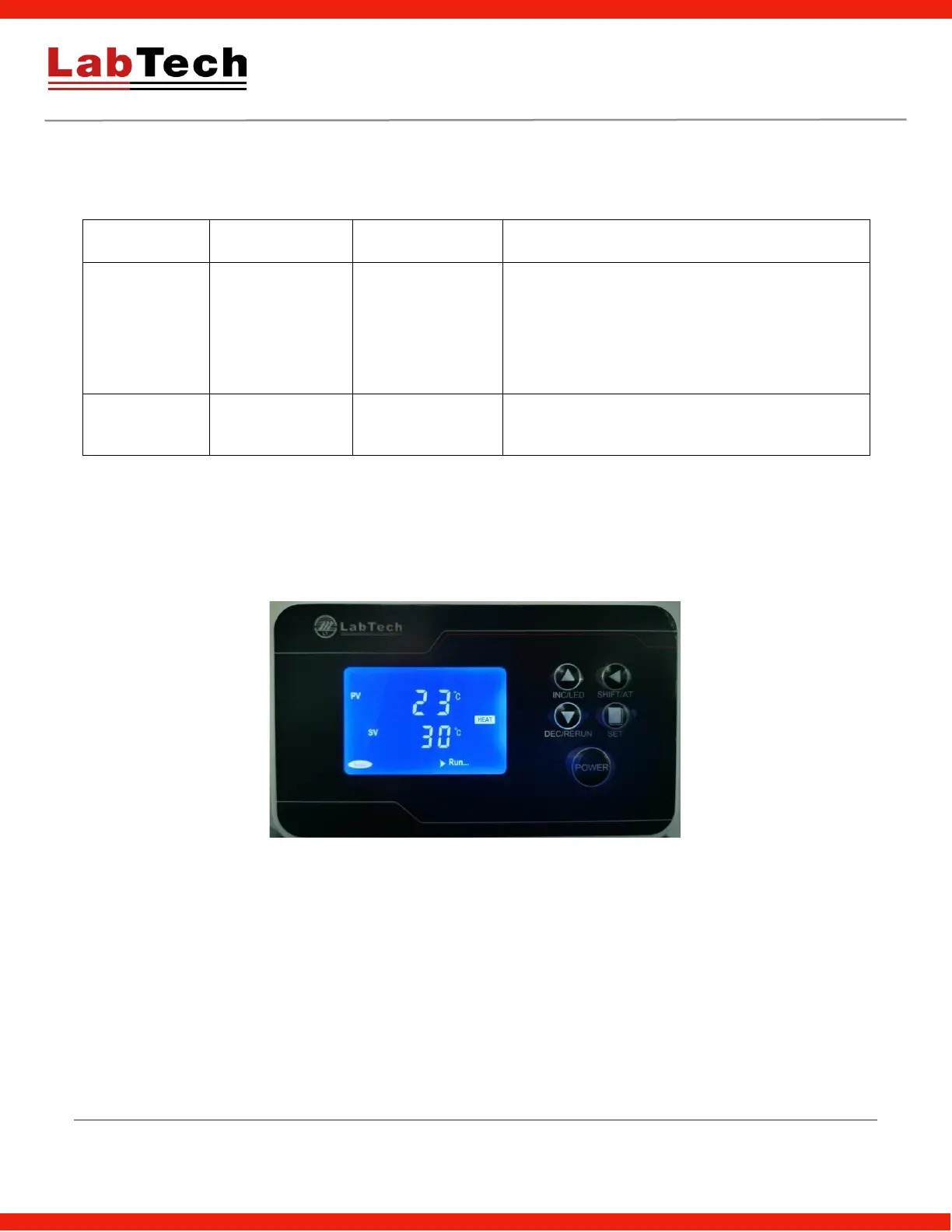
SET: Set or check temperature, holding time and other parameters.
SHIFT/AT: In set interface, the key is a digital transposition key. In other interface, press and hold the key for 6
seconds to enter or the quit auto-calibration system.
DEC/RERUN: In set interface, press the key to decrease value, press and hold it to speed up the value
decrease. In other interface, press and hold the key for 3 seconds can rerun the system after finishing the
heating phase.
INC/LED: In set interface, press the key to increase value, press and hold it to speed up the value increase. In
another interface, press the key to backlight on/off.


 To Next Page