Ultimate-cell Stackable Shaking Incubator V2017.2
15
Wait for 12 hours and peel off the top sheet cover.
The Sticky Mat is now ready for loading.
Maximum loading capacity with P6023 plain tray with Sticky Mats
For Erlenmeyer Flasks only. Flask dimensions may reduce max. capacity
5.9 Set of Capillary Thermostat
The capillary thermostat inside the working chamber works as a protection against over
temperature. It has a temperature set range of up to 120°C . It is set at "80°C " as default.
Set the thermostat to 65°C .
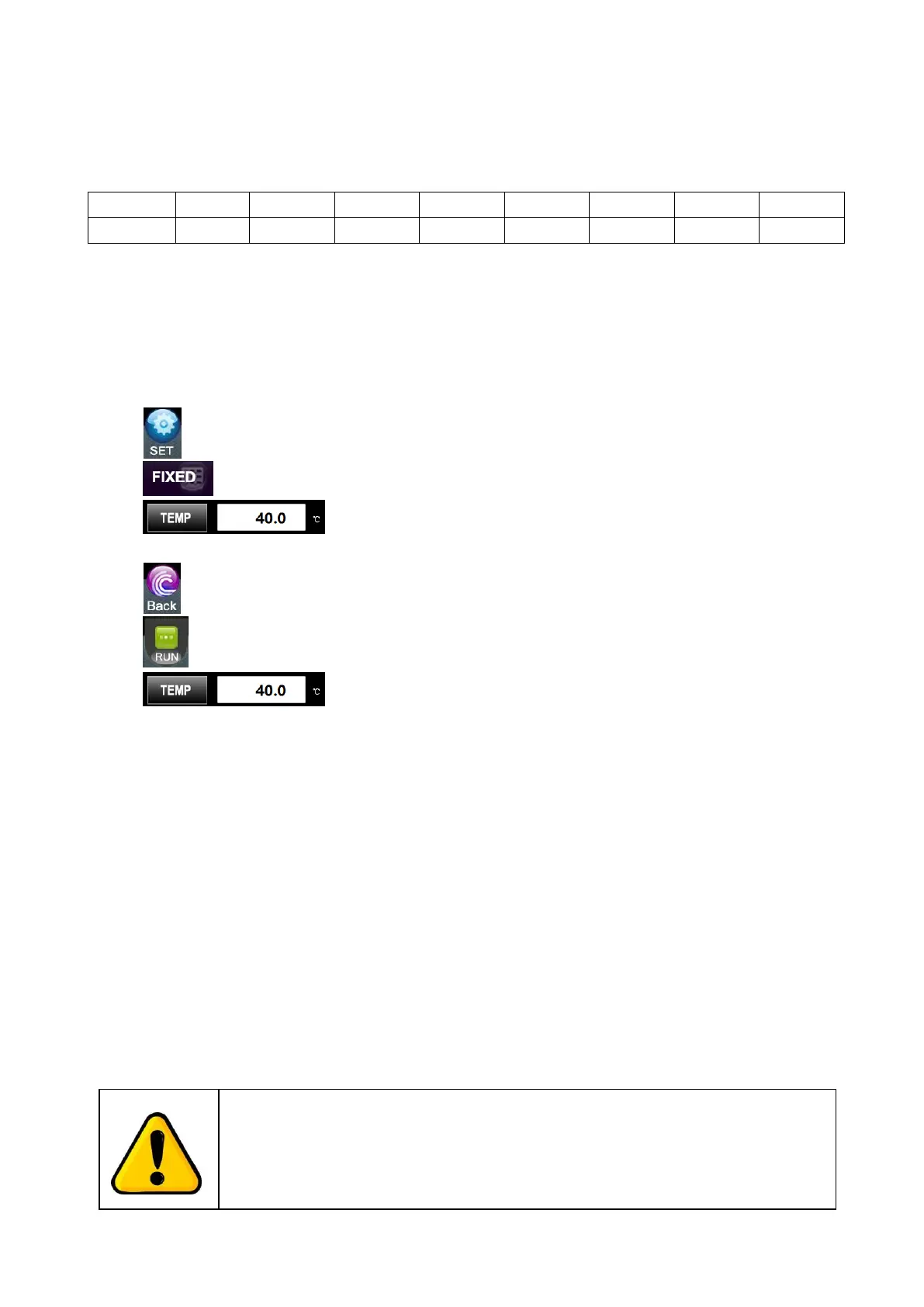
Switch on the main unit and press "Set" key
Press the "FIXED"
Press "Temp" to set the temperature to the maximum
working temperature, e.g."40.0"°C
Press "Back" to the home page.
Press "Run" to start the temperature control system
Wait until the displayed temperature in the home page
reaches the set temperature.
Open the door, turn the thermostat knob anti-clockwise
slowly until hearing a clicking sound from the thermo-
stat.
Turn the thermostat knob clockwise 5°C higher.
Now the thermostat is set, and always set the thermo-
stat some °C higher than the maximum working tem-
perature to ensure continuous operation.
5.10 Operation of Shaking Diameter Adjustment
The incubator has an adjustable shaking diameter of Ø1-50mm. To adjust it, follow the
instructions below,
Attention:
Power supply must be disconnected before performing the following
operations!
.


 To Next Page