d2 USB 3.0 User Manual 21
LACIE DESKTOP MANAGER
LaCie Desktop Manager is a software utility that provides important information regarding the status and health
of your device.
INSTALLING LACIE DESKTOP MANAGER
LaCie Setup Assistant includes the option to install LaCie Desktop Manager during the initial setup. If LaCie
Desktop Manager is not installed on your computer, follow the directions below:
Go to the LaCie d2 product page1.
Choose the Support tab and download the installer for LaCie Desktop Manager2.
Once the download is complete, locate the installer on your computer. Generally, downloads can be found in3.
the Downloads folder.
Launch the installer for your operating system and follow the setup wizard to completion.4.
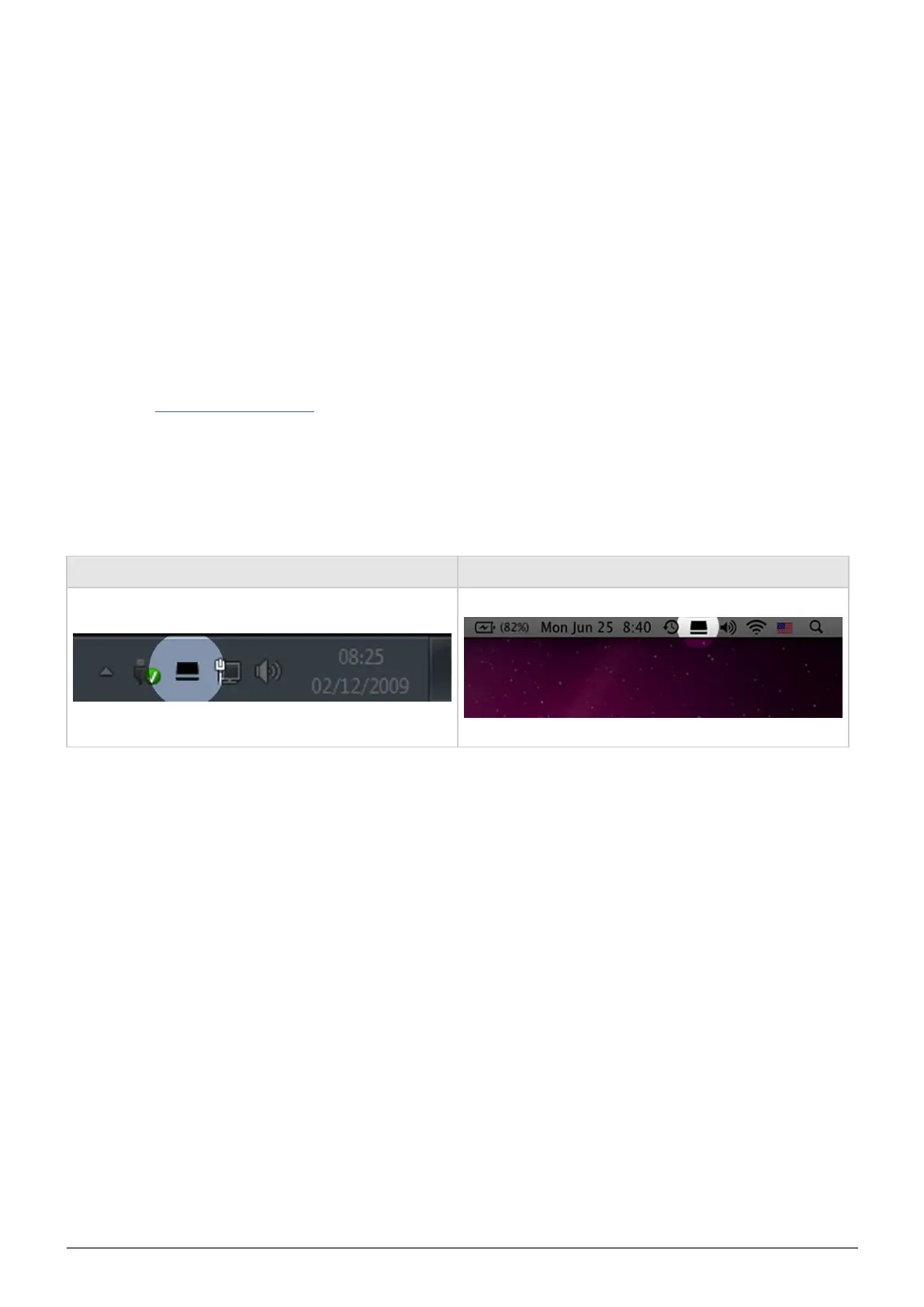
When setup is complete, launch LaCie Desktop Manager from the System tray (Windows) or the Menu bar (Mac).
Windows Mac
LaCie Desktop Manager provides a list of all compatible LaCie devices in the left-hand column. If you have more
than one compatible LaCie device, choose a product and use the tabs to navigate to the page you want.



 To Next Page