28
29
Manual Mode Manual Mode
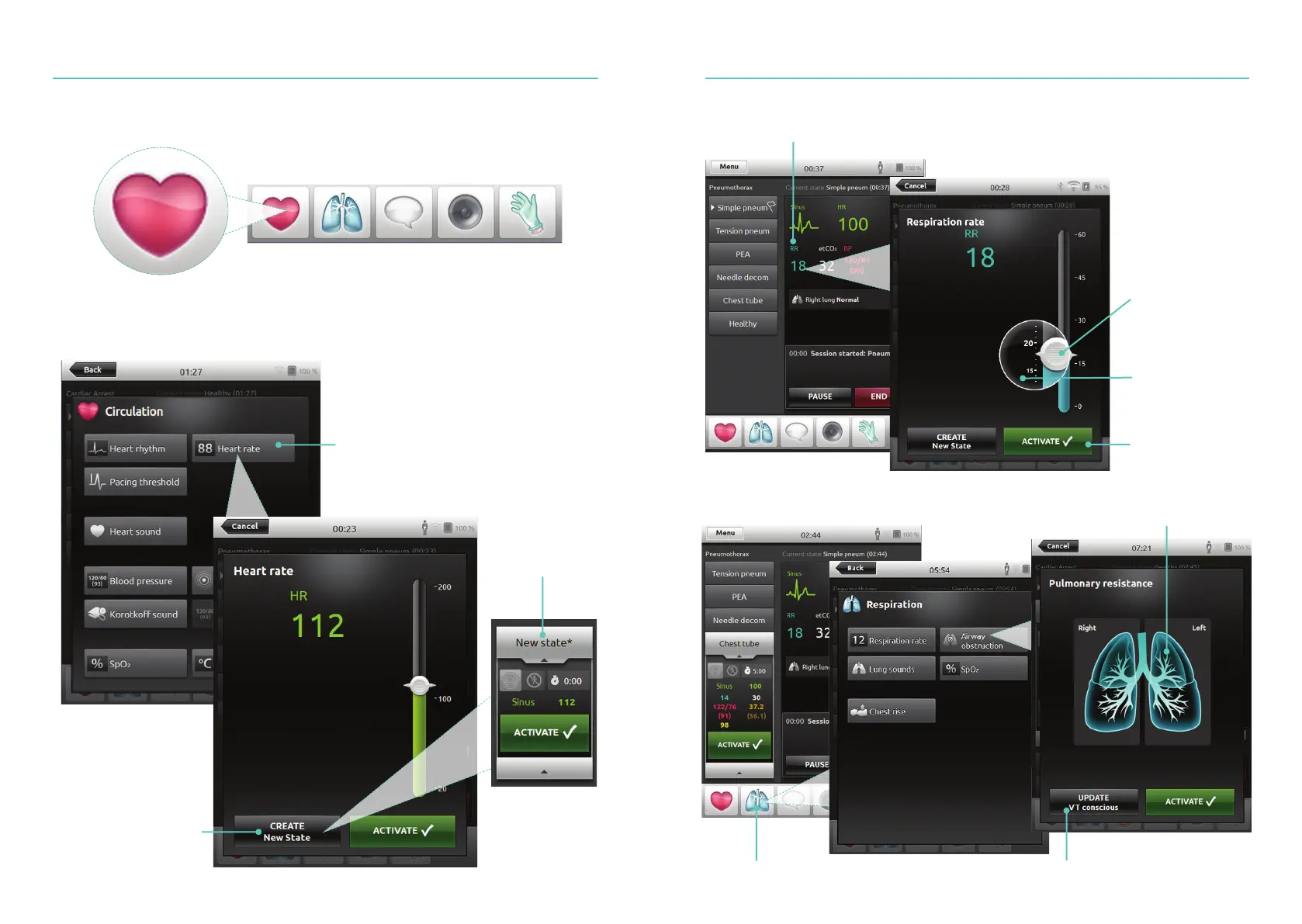
Create New State for an Existing Theme
Tap to access Circulation Menu
Select desired parameter
Tap to create a new state
New state visible
Adjust Parameters Manually
Advanced Adjustments
Tap to adjust values (e.g. respiration rate)
For fine
adjustments, hold
finger over slider
Activate the
new value
Drag to adjust
parameters
Select a parameter from the menu
Tap to set desired condition
Update the currently open state















 To Next Page