49
SimStore
48
Network
SimStore is the place to find peer validated content to standardize your simulation
education. Unlock the full potential of SimPad manikins, education staff and students.
SimStore offers pre-programmed content mapped to clinical guidelines and developed by
industry-leading experts. Reducing on-the-fly operation and using pre-programmed scenarios
can help present a more realistic clinical encounter and increase the simulation investment.
To access, visit www.mysimcenter.com
Visit SimStore to find:
• Immediate online access to world wide, validated content
• Standardized and repeatable training measures
• Easy search, find, and pay navigation
• Flexibility to purchase only what is required
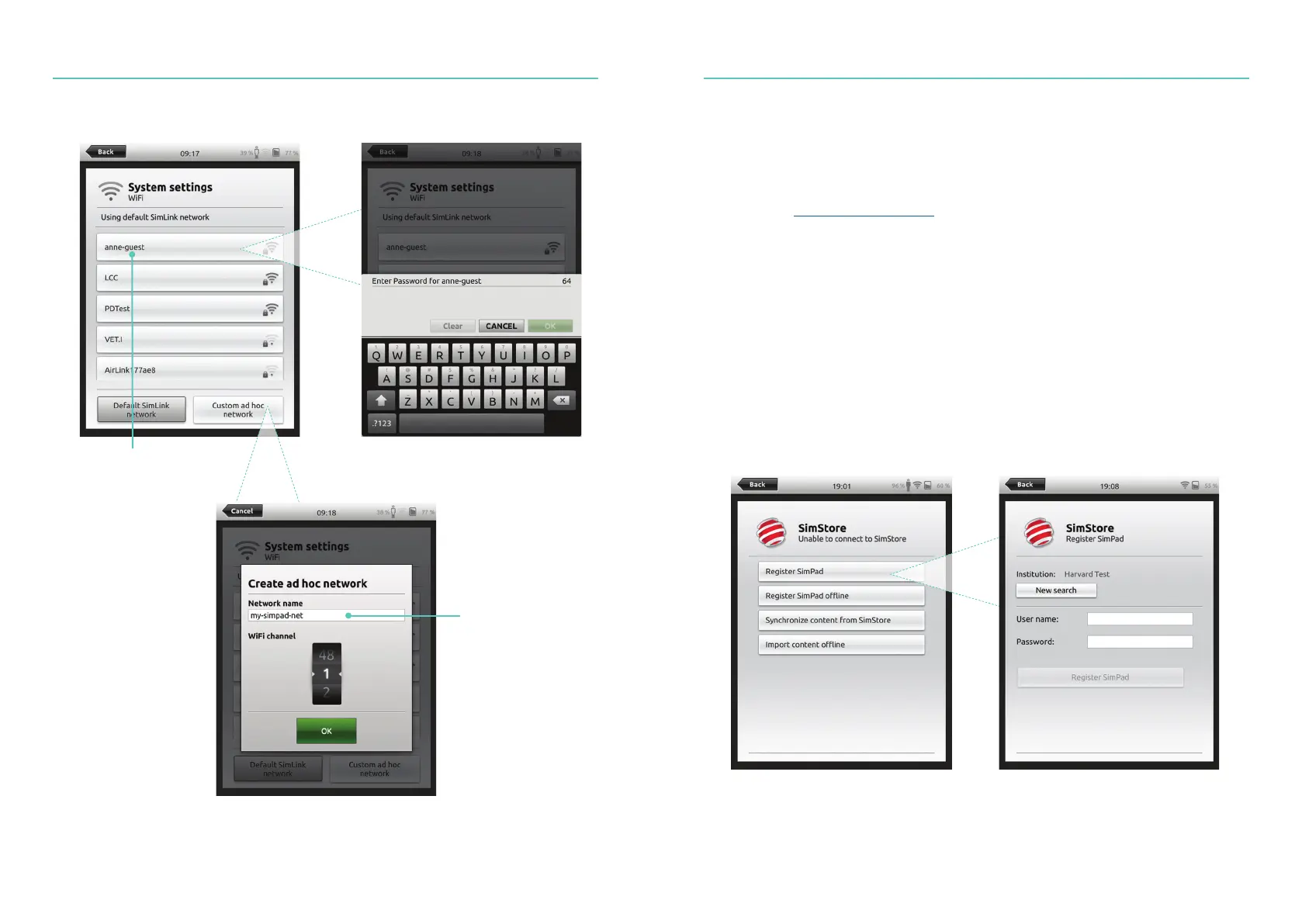
Register SimPad on SimStore
SimPad needs to be connected to a network in order to register with SimStore online.
See Network section.
Connect to Another Network
Select the desired
WiFi network from
the list and enter the
network password
Any other ad-hoc
network can be
created (optional)















 To Next Page