38
39
Simulated Patient Monitor Simulated Patient Monitor
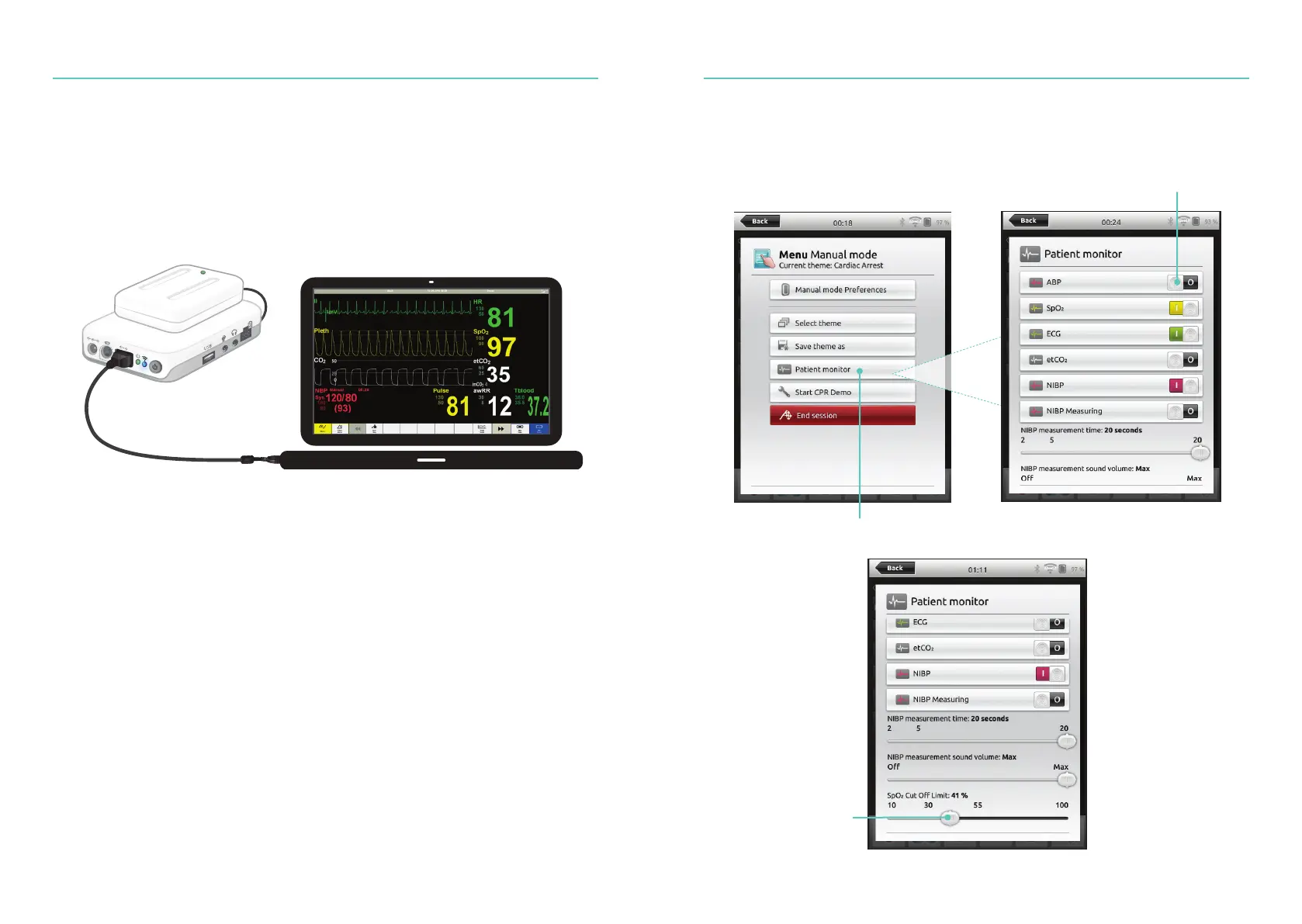
Instructor Control of Simulated Patient Monitor
When the Simulated Patient Monitor (optional item) is connected to SimPad, the instructor
can toggle the display of vital signs. Navigate to manual mode and select Patient Monitor.
Select Cut Off limits
Navigate to menu and select
Patient Monitor
Toggle On/Off vital signs
Connect a Simulated Patient Monitor
Ensure the Simulated Patient Monitor PC and the SimPad System are connected to the
same network.
Refer to Network section for more information about other network connections.
Using a direct network cable to connect the Link Box to the Simulated Patient Monitor is
recommended to minimize WiFi traffic.















 To Next Page