Installation Manual 2013 Riv 2 23
Setting the Heat Pump Timer
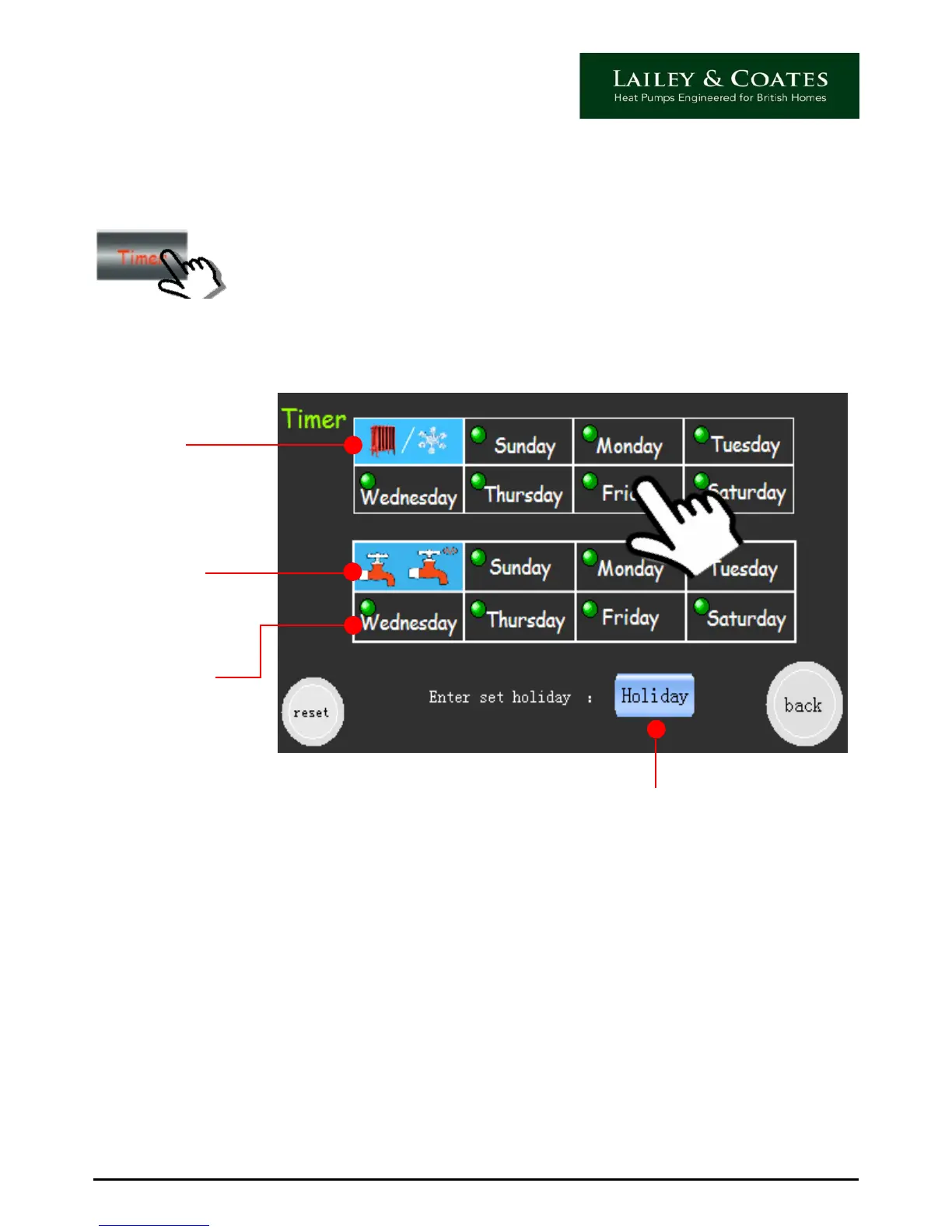
From the main display home screen, touch the timer icon (9). The controller will beep and
the screen will change as follows:
Heating
Hot Water
Timer Set
Indicator
Within this screen there are two display grids for days of the week, the upper one is for
heating the lower for hot water.
Touch and hold relevant day to access the timer settings for that day, the controller will
beep and screen will change as follows:
Please note that when the timers are set for each individual day, a green circle will be
displayed to the left of the day.
You can also access the holiday timer from this screen.
Holiday Timer


 To Next Page