26 Installation Manual 2014 - Riv 2
Holiday Timer
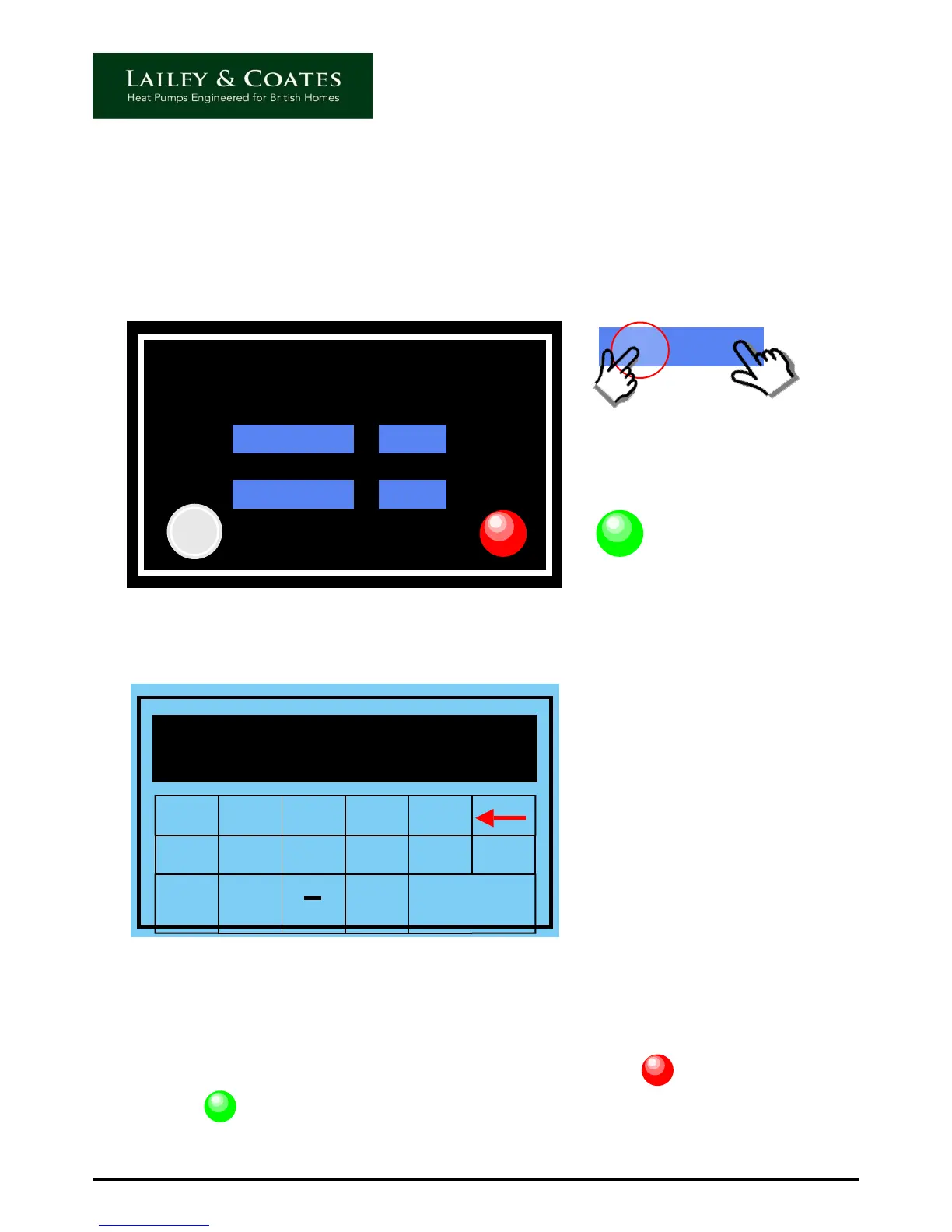
To access the holiday timer touch the timer icon on the home screen.
The daily timer screen will appear. Touch the Holiday icon and the holiday timer screen is
displayed as below.
2013 / 99 / 99
Holiday
OFF
Clear
When the green ‘ON’ icon
is illuminated the timer is
set.
ON
To set the required holiday period, touch the relevant sections of the start date and enter
the relevant digits using the following screen.
1 2 3 4 5
6 7 8 9 0 Clr
oo
Esc Enter
16
Press enter after completing each section. Repeat for all sections of start and finish date
and time. Using the 24 hour format, select the hour to start and finish the holiday period.
To reset and start again touch the clear icon.
When you have completed your selections touch the red off icon, this will turn from
red to green to indicate that the timer is set.
Please note: The heat pump will not function between the set dates.
OFF
ON


 To Next Page