Installation Manual 2013 Riv 2 25
Setting the Timer Continued
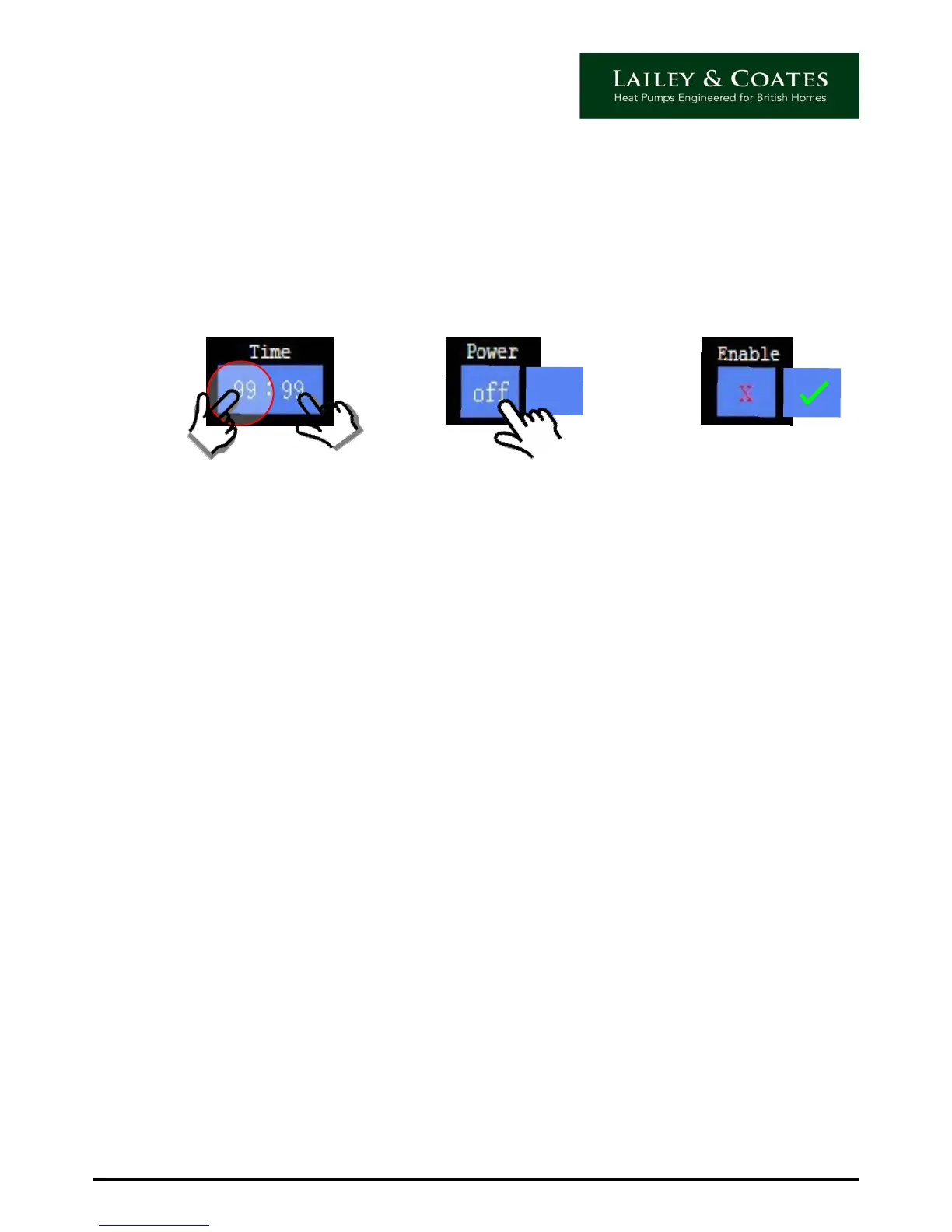
2) Once the time is set, select whether this is to start or stop the system by touching the
corresponding power icon and selecting on or off.
3) The setting must then be enabled, to do this touch the enable icon and ensure that a
green tick is visible. To disable, simple touch again so that a red cross appears.
32
on
1
Repeat this process for each of the timer settings and when you have finished touch the OK
icon. Further repeat for each day of the week for heating, and then for hot water.
Important: To accept your settings you must remember to touch the OK icon before you
close the screen. To close touch the red cross on the top right of the screen. This will return
you to the main timer screen, there should now see a green dot next to the day you have
just set, this confirms that the timer is set accordingly.


 To Next Page