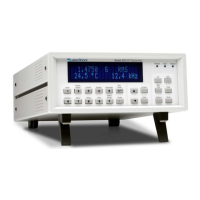
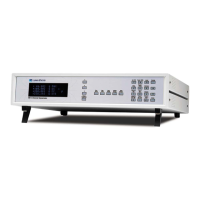
Lake Shore Model 421 Gaussmeter User’s Manual
4-10 Remote Operation
Table 4-5. Serial Interface Commands
Command Function Page
Interface Commands
QIDN? Query Identification *..............................4-11
QRST Reset Instrument....................................4-11
BAUD Set Serial Interface Baud Rate...............4-11
BAUD? Serial Interface Baud Rate Query ..........4-11
Device Specific Commands
ACDC AC/DC Field Measurement Command ...4-12
ACDC? AC/DC Field Measurement Query..........4-12
ALARM Alarm On/Off Command.........................4-12
ALARM? Alarm On/Off Query................................4-12
ALMB Audible Alarm Command .......................4-12
ALMB? Audible Alarm Query ..............................4-12
ALMH High Alarm Setpoint Command..............4-12
ALMH? High Alarm Setpoint Query.....................4-13
ALMHM? High Alarm Setpoint Multiplier Query .....4-13
ALMIO Alarm Inside/Outside Command ............4-13
ALMIO? Alarm Inside/Outside Query ...................4-13
ALML Low Alarm Setpoint Command...............4-13
ALML? Low Alarm Setpoint Query .....................4-13
ALMLM? Low Alarm Setpoint Multiplier Query ......4-14
ALMS? Alarm Status Query ................................4-14
ALMSORT Sort Pass/Fail Command .......................4-14
ALMSORT? Sort Pass/Fail Query ..............................4-14
AUTO Auto Range Command...........................4-14
AUTO? Auto Range Query .................................4-14
BRIGT Display Brightness Command ................4-14
BRIGT? Display Brightness Query.......................4-15
Command
Function Page
FAST Fast Data Mode Command ....................4-15
FAST? Fast Data Mode Query ...........................4-15
FIELD? Field Reading Query ..............................4-15
FIELDM? Field Multiplier Query .............................4-15
FILT Display Filter Command.........................4-15
FILT? Display Filter Query................................4-15
LOCK Keypad Lock Command.........................4-16
LOCK? Keypad Lock Query................................4-16
MAX Max Hold Command ..............................4-16
MAX? Max Hold Query .....................................4-16
MAXC Max Reset Command ............................4-16
MAXR? Max Reading Query ...............................4-16
MAXRM? Max Reading Multiplier Query................4-16
RANGE Manual Range Command ......................4-17
RANGE? Manual Range Query .............................4-17
REL Relative Mode Command.......................4-17
REL? Relative Mode Query .............................4-17
RELR? Relative Mode Reading Query ...............4-17
RELRM? Relative Mode Reading Multiplier ..........4-17
RELS Relative Mode Setpoint Command ........4-18
RELS? Relative Mode Setpoint Query ...............4-18
RELSM? Relative Mode Setpoint Multiplier...........4-18
SNUM? Probe Serial Number Query * ................4-18
TYPE? Probe Type Query * ...............................4-18
UNIT Gauss or Tesla Unit Command..............4-19
UNIT? Gauss or Tesla Unit Query.....................4-19
ZCAL Zero Probe Command............................4-19
* These commands are only available over the computer interface, i.e., there are no front panel equivalent
commands: QIDN, SNUM, and TYPE.



 To Next Page