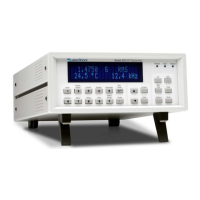
Lake Shore Model 421 Gaussmeter User’s Manual
4-12 Remote Operation
4.2.2 Device Specific Commands
ACDC AC or DC Field Measurement Command
Input: ACDC <mode>[term]
Format: n
<mode> 0 = DC, 1 = AC. Refer to Paragraph 3.3.
ACDC? AC or DC Field Measurement Query
Input: ACDC?[term]
Returned: <mode>[term]
Format: n (Refer to command for description)
ALARM Alarm On/Off Command
Input: ALARM <state>[term]
Format: n
<state> 0 = Off, 1 = On. Refer to Paragraph 3.9.
ALARM? Alarm On/Off Query
Input: ALARM?[term]
Returned: <state>[term]
Format: n (Refer to command for description)
ALMB Audible Alarm Beeper Enable/Disable Command
Input: ALMB <state>[term]
Format: n
<state> 0 = Disabled, 1 = Enabled
ALMB? Audible Alarm Beeper Enable/Disable Query
Input: ALMB?[term]
Returned: <state>[term]
Format: n (Refer to command for description)
ALMH High Alarm Setpoint Command
Input: ALMH <field value>[term]
Format: ±nnn.nn
<field value> Enter sign, 4 or 5 digits, and place decimal point appropriate to range.
Remarks: New value is entered on the same field range as the old value. Setting value to zero first will
change the setting range to present display range.



 To Next Page