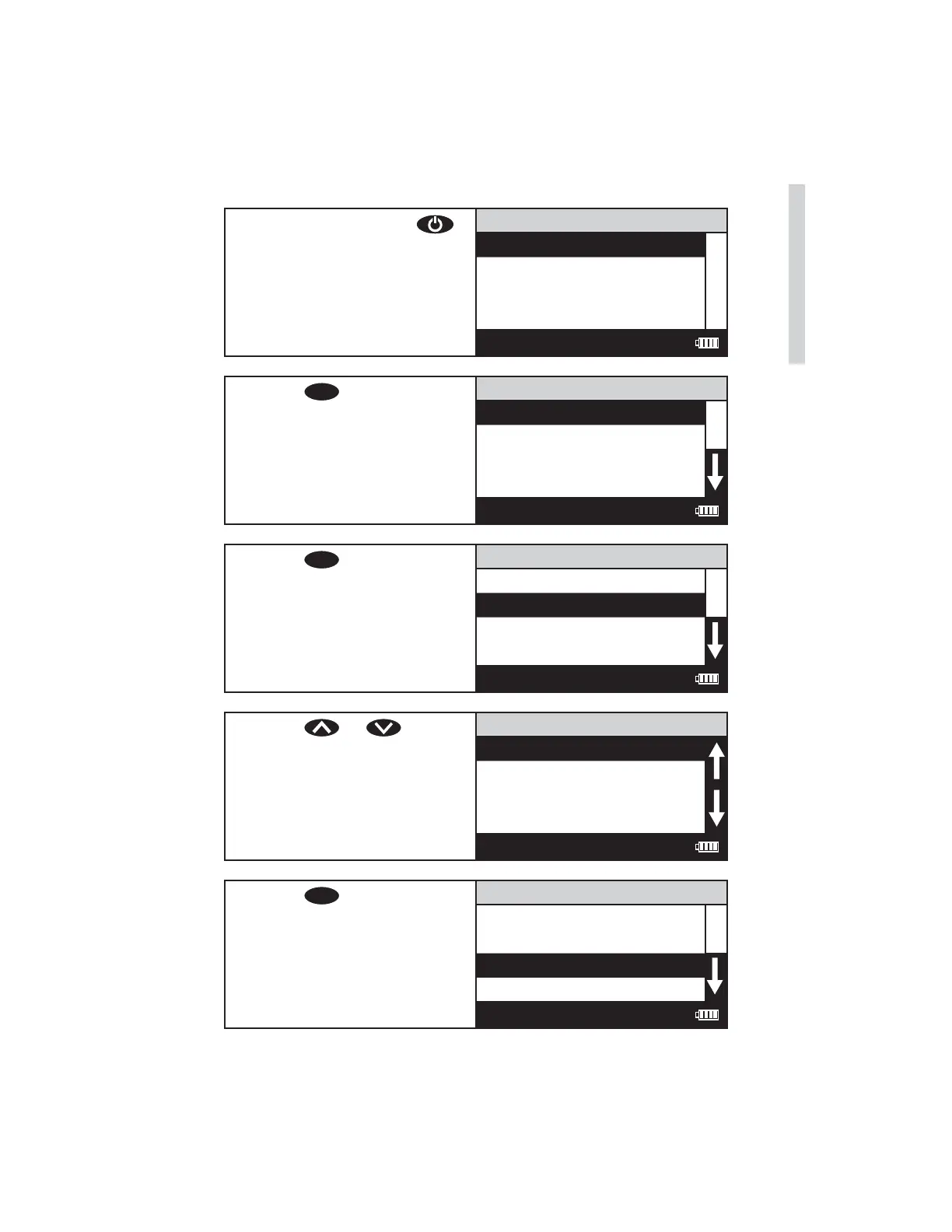
TESTING WITH LaMOTTE PRE-PROGRAMMED TESTS
1. Press and briefl y hold
to turn the meter on. The
LaMotte logo screen will
appear for about 3 seconds
and the Main Menu will
appear.
Main Menu
Testing Menu
Editing Menu
Run PC Link
12:00:00 001/500
2. Press
ENTER
to select Testing
Menu.
Testing Menu
All Test Menu
Sequence 1
Sequence 2
Sequence 3
12:00:00 001/500
3. Press
ENTER
to select All Tests
Menu.
All Tests
001 Alkalinity UDV
002 Aluminum
003 Ammonia-N LRF
004 Ammonia-N LRS
12:00:00 001/500
4. Press or to scroll
to the desired test.
All Tests
001 Alkalinity UDV
002 Aluminum
003 Ammonia-N LRF
004 Ammonia-N LRS
12:00:00 001/500
5. Press
ENTER
to select the test.
002 Aluminum
Scan Bank
Scan Sample
12:00:00 001/500
SMART3 Colorimeter 11.10 27
Testing
www.GlobalTestSupply.com
Find Quality Products Online at: sales@GlobalTestSupply.com















 To Next Page