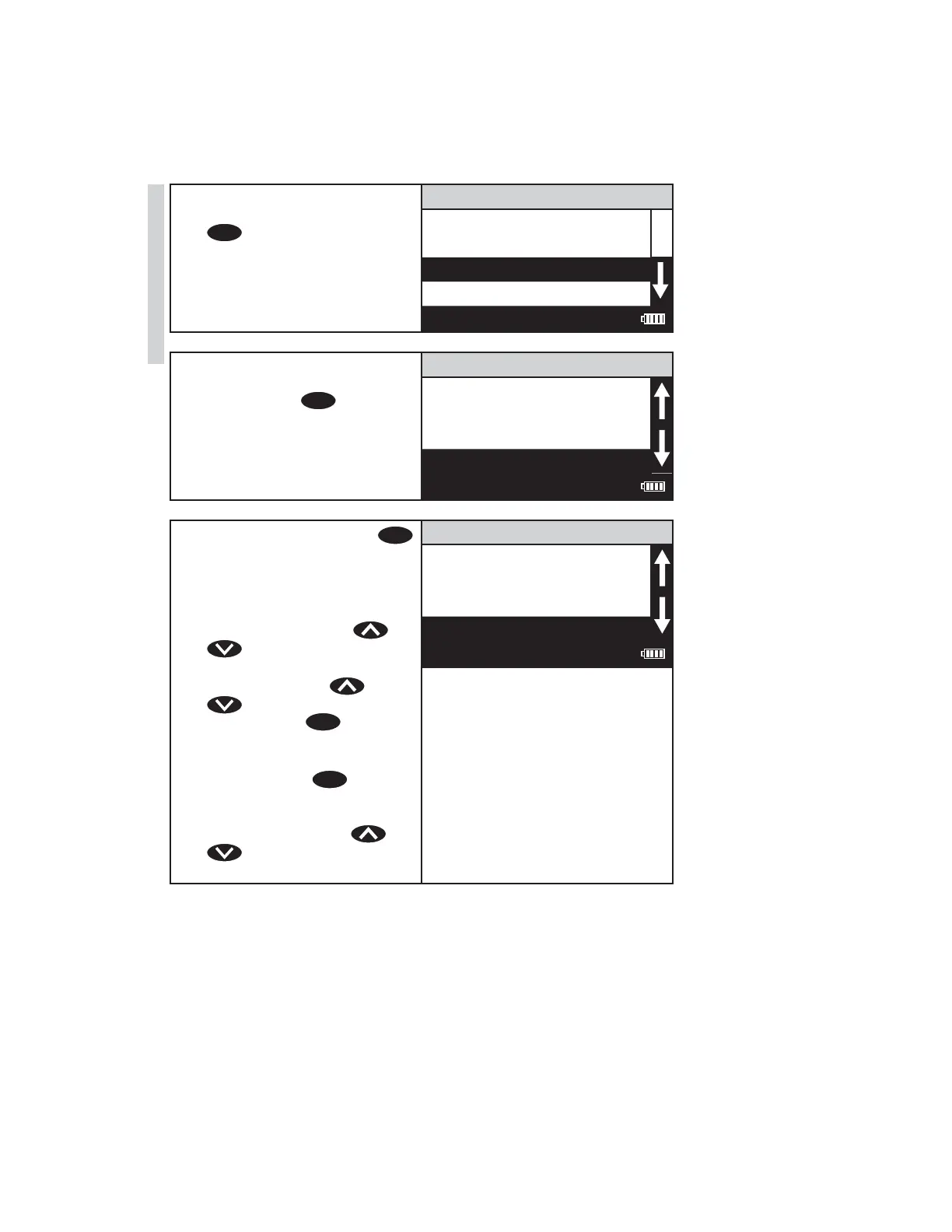
6. Insert the blank into the
chamber. Close the lid.Press
ENTER
to scan the blank. The
screen wil display Blank
Done for about 1 second and
then return to the Test Menu.
002 Aluminum
Scan Blank
Scan Sample
12:00:00 001/500
7. Insert the reacted sample
into the chamber. Close
the lid. Press
ENTER
to scan
the sample. The screen will
display READING for about 1
second. The result will appear
on the screen.
002 Aluminum
1.00 ppm
Scan Blank
Scan Sample
12:00:00 001/500
8. To repeat the test, press
ENTER
to scan the sample again. The
last blank scaned is used by
the colorimeter for repeated
scans. A different blank can
be used by pressing or
to scroll to Scan Blank
and then scanning another
blank. Scroll with or
and make another
selection with
ENTER
. The %T
or Absorbance of the last test
can be viewed by choosing
%T/Abs. Press
EXIT
to
escape to previous menus.
NOTE: The menus loop in
this screen so either or
will lead to the menu
selection needed.
002 Aluminum
1.00 ppm
Scan Bank
Scan Sample
12:00:00 001/500
28 SMART3 Colorimeter 11.10
Testing
www.GlobalTestSupply.com
Find Quality Products Online at: sales@GlobalTestSupply.com















 To Next Page