45
8 Options
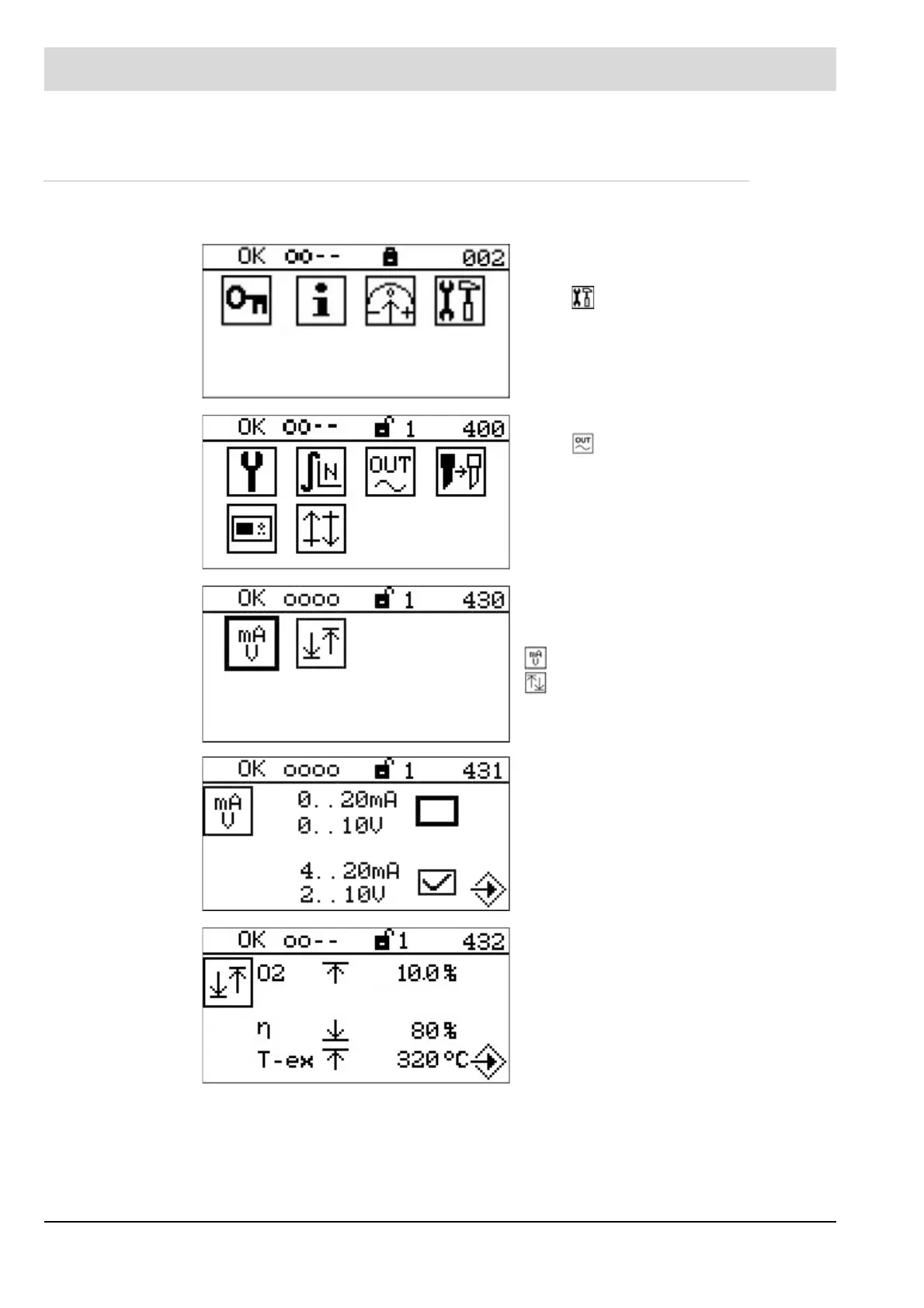
8.1.3 Conversion of the Output Range via the User Interface
Access level 1 or higher required.
Select in the main menu to switch to the
settings menu.
Select to switch to the analogue outputs.
The analogue outputs menu provides the fol-
lowing setting options:
Current range or voltage range
Output range
Selection of current range or voltage range
depending on the module.
Output range for:
O
2
= O
2
measurement value
η = Efficiency
T-ex = Output temperature



 To Next Page