ThisdocumentisthepropertyofLANDI.
Itscontentcannotbereproducedordivulgedwithout
the company’swrittenapproval.
14/18
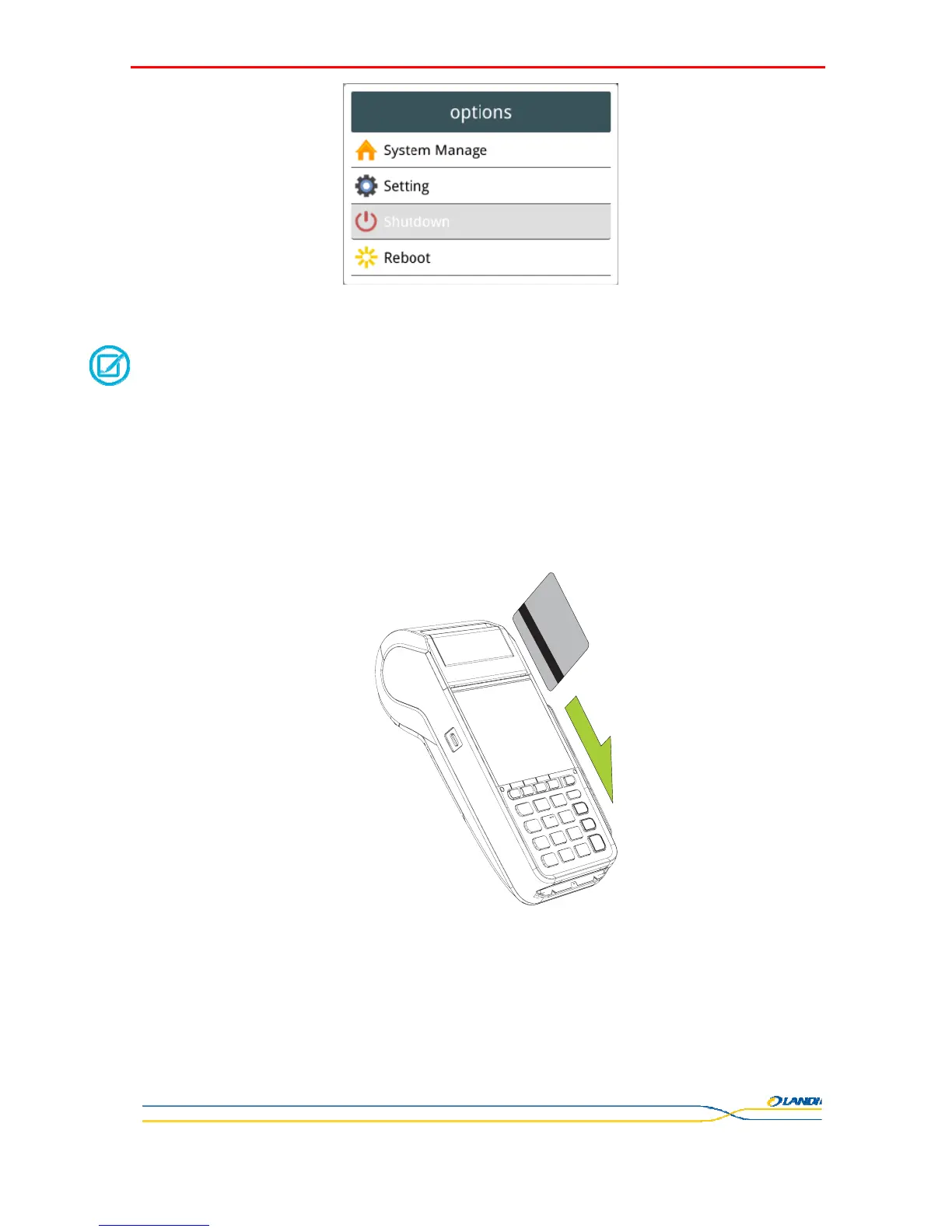
Select "Shutdown" menu using "", "" arrow keys or "2", "8" and then press <OK> key.
******************************************************************************************
NOTE
Press and hold the power button on the POS terminal under power-on state until "Close POS" menu
pops up You can select "Switch Application" to switch between multiple applications or select "Restart"
to reset the system under uninterrupted power supply.
******************************************************************************************
Abnormal power off:
When the device works abnormally, for example, it is crashed and no actions menu popped out while pressing the power button,
please long-press the power button for 6s, the device will be automatically powered off.
Screen switch operation:
Short-press the power button for about 0.5s, the terminal display will be turned on or off.
4.3 Magnetic Card Reader
The magnetic card can be bi-directionally swiped with the stripe facing inward. Swipe the card at stable and even speed,
otherwise it may lead to card reading failure.
4.4 IC Card
The IC card should be horizontally inserted into the card reader with chip side upwards. Make sure the card is completely
inside the card reader and prevent the card chip contacts from being damaged or oxidized, otherwise it may cause transaction
failure.


 To Next Page