ThisdocumentisthepropertyofLANDI.
Itscontentcannotbereproducedordivulgedwithout
the company’swrittenapproval.
15/18
4.5 RF Card
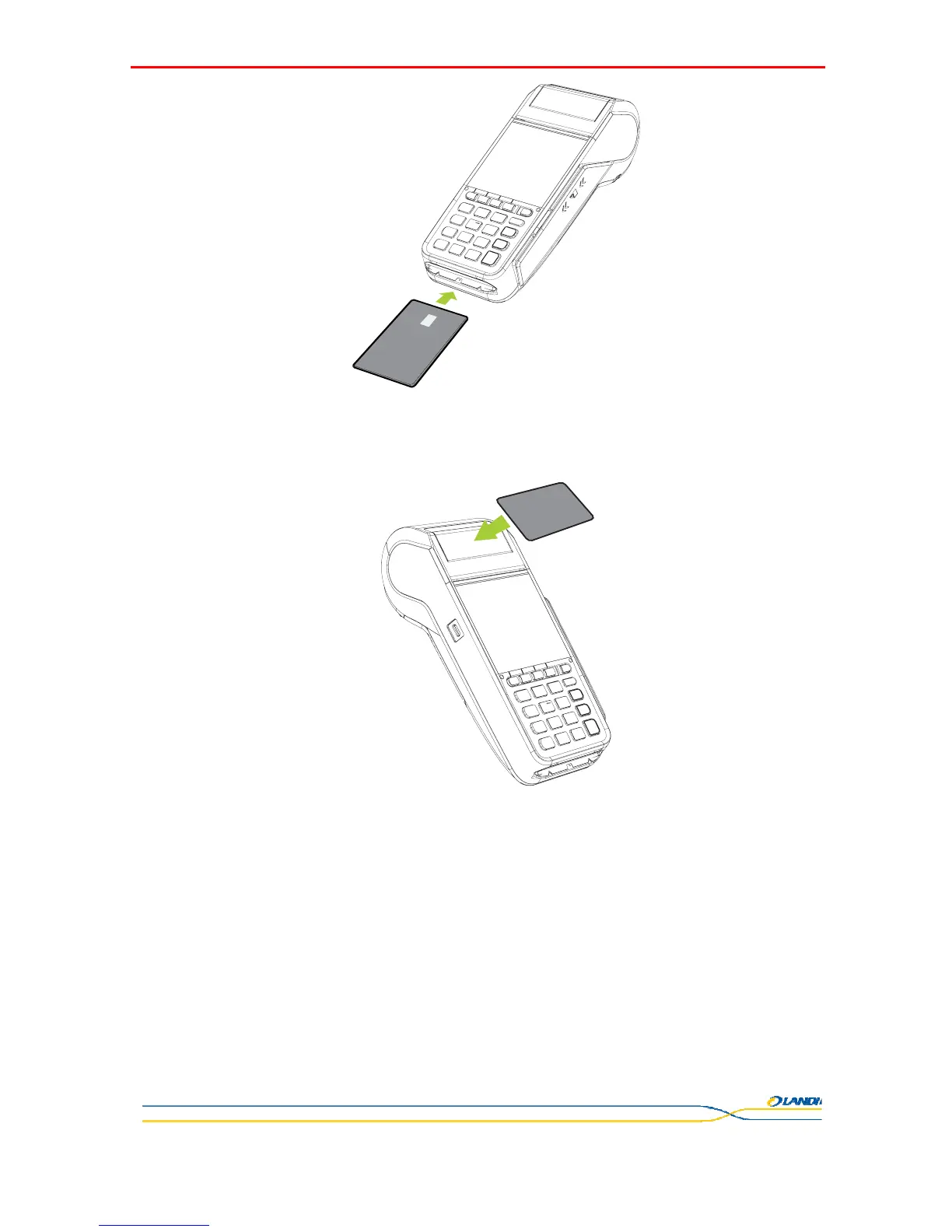
Place the RF card right against the sensing area and remove it until card swiping success prompts. The sensing area of E830 is
right above the paper cover.
5 Product Maintenance Guide
5.1 Magnetic Card Reader and ICCR Maintenance
Do not attempt to clean the magnetic card reader and IC card reader, for this action may result in damage to the terminal, and
that cause warranty invalid.
5.2 Printer Maintenance
Do not try to pull up the paper roll under any circumstances.
If you need to adjust the typing paper distance, please power off the terminal, and then replace the paper roll with correct
operation.
Dust or wastepaper remnant in the printer will reduce the efficiency. Please use soft brush to clean it. (Be careful not to
scratch the print head).


 To Next Page