Other Effects Notes:
In some of the combination effects it is possible by using the Edit controls to turn off one of the effects if not required.
Many of the secondary effects have a mix option. If set to zero will eliminate that effect.
Example:
Chorus+Delay:
To defeat the delay and only have Chorus use B+Edit to set mix to zero.
Note some functions are not applicable to certain effects and so some Edit buttons will have no effect and will not illuminate
within that effect selection.
Example:
Reverb only has two adjustments:
1) Mix level… using the Edit knob.
2) Reverb length… by holding down the TAP control momentarily and adjusting the Edit knob for the desired decay time.
(Short anti-clockwise. Long clockwise direction) A,B & Bypass Edits will have no effect.
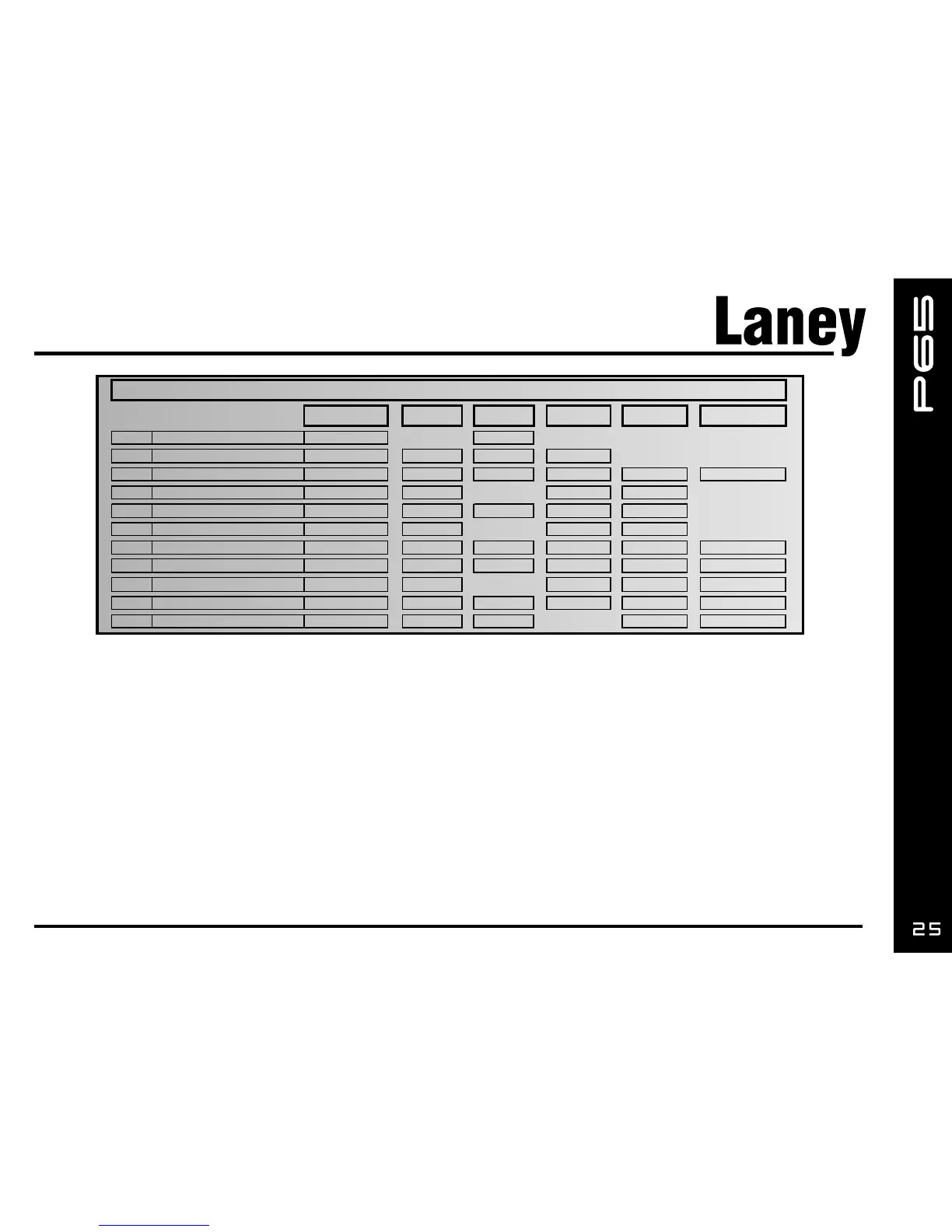
1
Mix Length
2
Mix Time Time Repeats
3 Ch Rate Ch Rate Dly Time Ch Depth Dly Mix Dly Repeats
4
Ch Rate Ch Rate Ch Depth Rvb Mix
5
Flg Rate Flg Rate Dly Time Flg Depth Dly Mix
6 Trm Rate Trm Rate Trm Depth Rvb Mix
7
Rty Rate Rty Rate Rvb Time Rty Depth Rvb Mix Gate Threshold
8
Phr Rate Phr Rate Rvb Time Phr Depth Rvb Mix Phr Feedback
9
Ch Rate Ch Rate Ch Depth Comp Ratio Comp Gain
10 W ah Sensitivity Dly Time Dly Time Wah Q Dly Mix Dly Repeats
11
Octave Mix Dly Time Dly Time Dly Mix Dly Repeats
B+Edit Bypass+Edit
Effect Edits
Edit Tap Tap+Edit A+Edit
Chorus + Compressor
Flange + Delay
Tremolo + Reverb
Rotary + Gate
Phaser + Reverb
Reverb
Delay
Chorus +Delay
Chorus + Reverb
Auto-Wah + Delay
Octaver + Delay


 To Next Page