11
1.Initial Setup
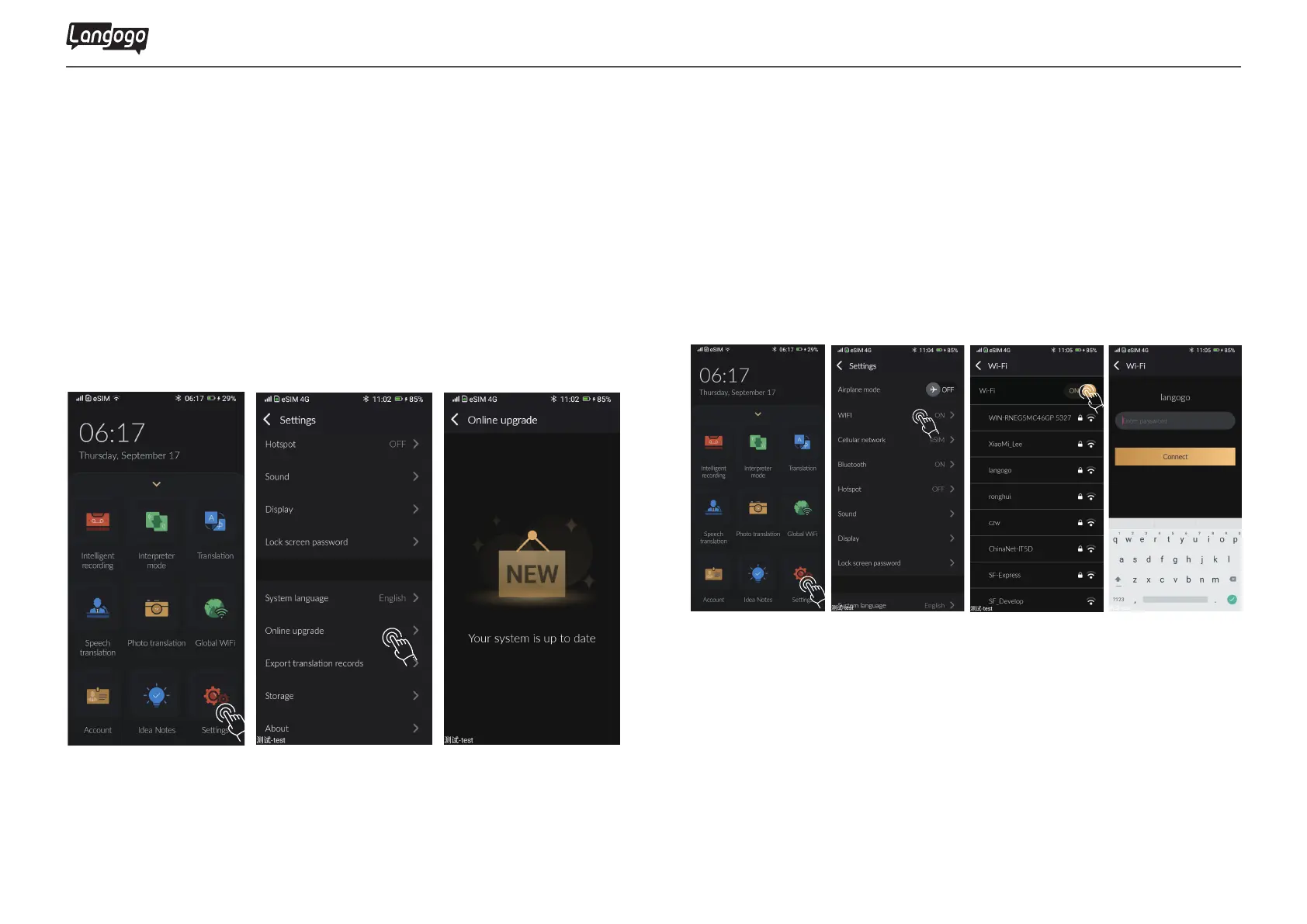
1.3 System upgrade
2. Network
2.1 Wi-Fi networking
①
Tap
【Settings】
②Select【Online Upgrade】
③Update the latest version immediately
Please upgrade the software to the latest version, which allows
Langogo to provide the best experience to you.
①Tap 【Settings】
②Select【Wi-Fi】
③Turn on the Wi-Fi button and start searching the network
④Select the network and enter the correct password
Note:
Please connect to the wireless network before upgrading system During the
system upgrade, please keep the device battery above 50%. Device will restart
automatically once the update success.
Langogo Summit User Manual


 To Next Page