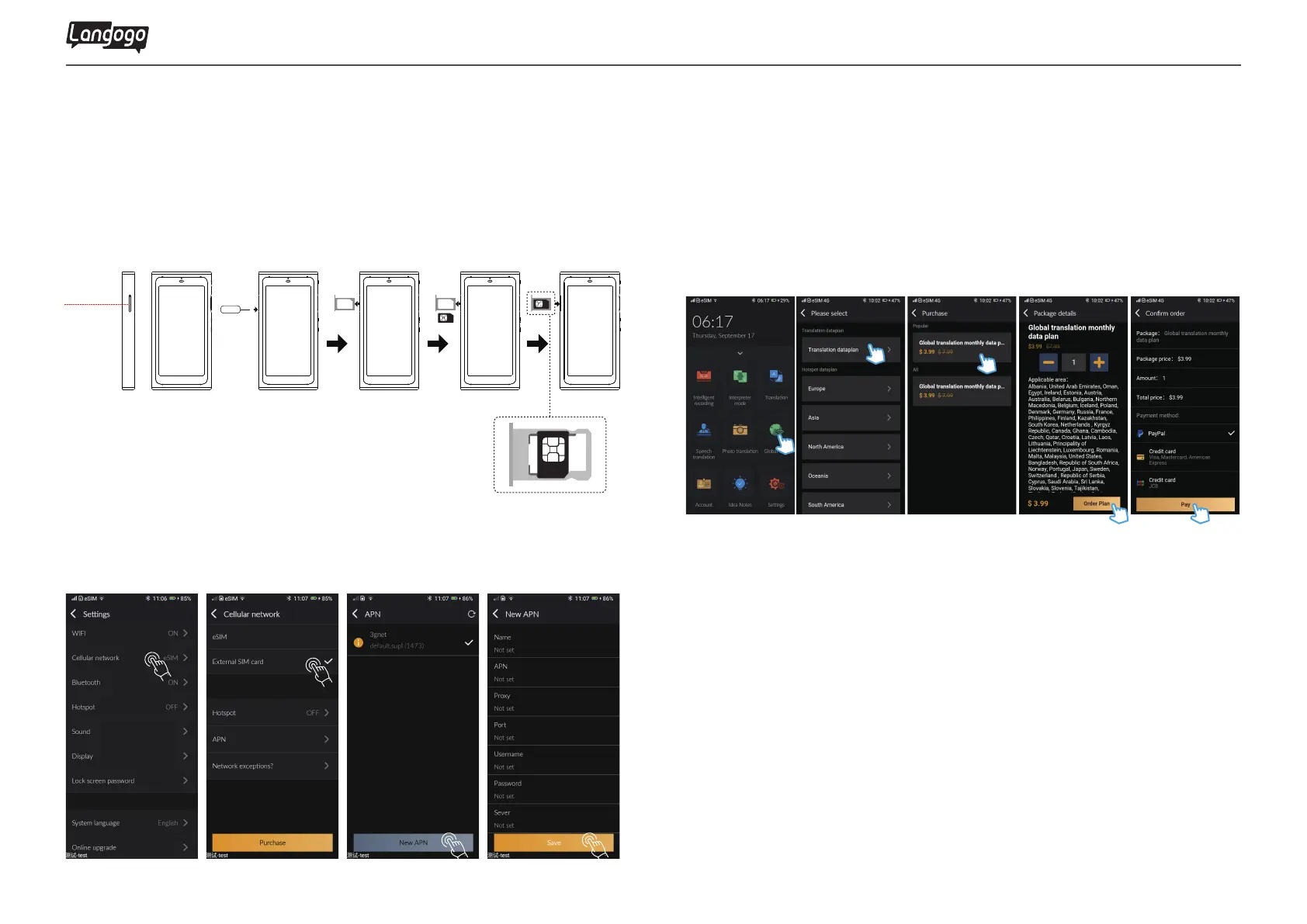
Insert Nano-SIM card to start
SIM card specification:Nano-SIM √ Micro-SIM× Mini-SIM×
SIM card slot
12
2.2 SIM card settings
①Tap【Settings】and select 【Cellular network】
②Tap【External SIM Card】
③Tap【Access Point Name (APN)】
④Tap【New VPN】, enter the data according to the SIM card and save
Langogo Summit User Manual
2.3 Purchase eSIM data plan
①Tap 【eSIM Data Plan】
②Select the your plan and tap 【Order plan】
③Choose payment method for payment


 To Next Page