Langogo Summit User Manual
15
4.4 Cloud editing
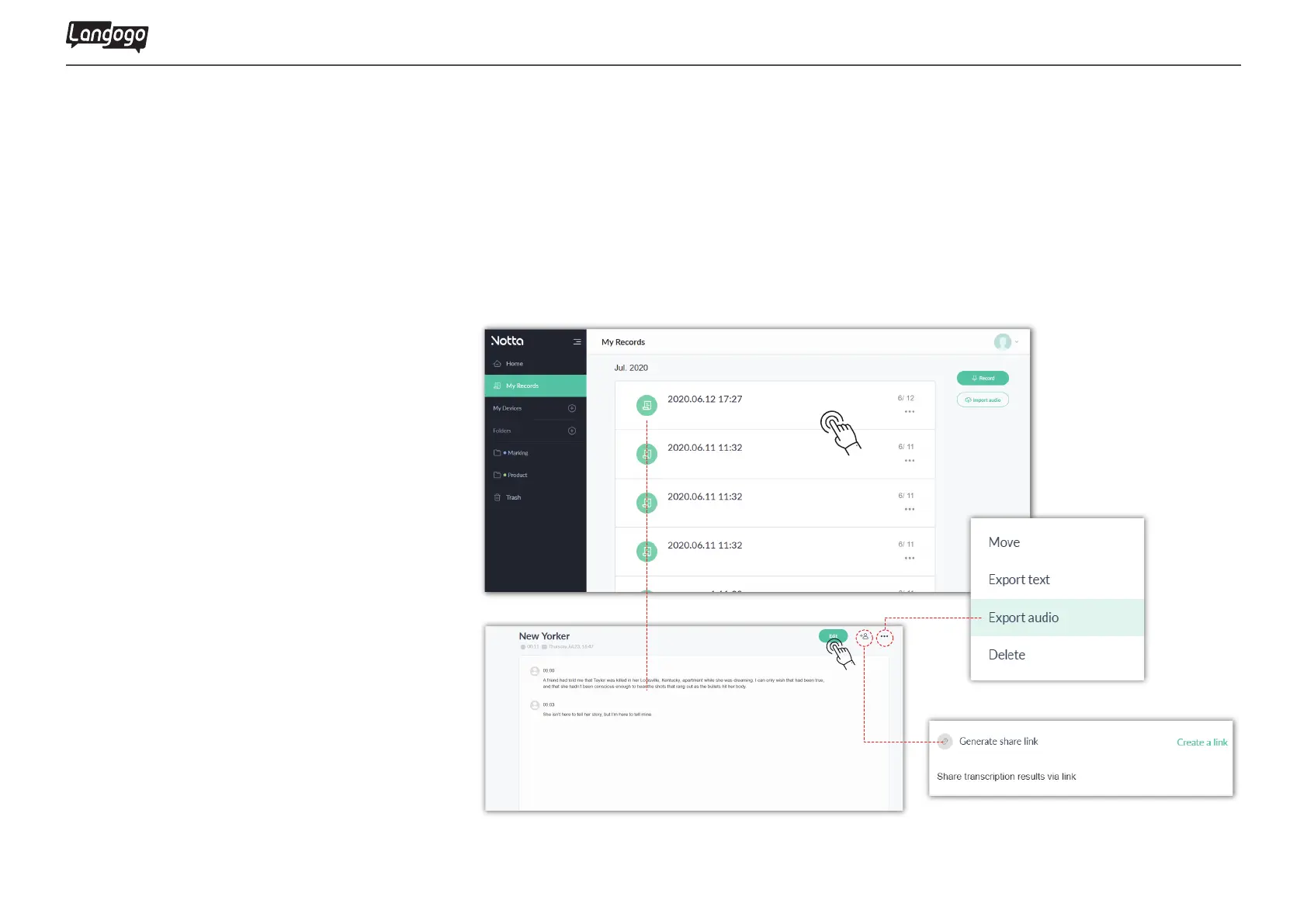
①Use computer to log in to the website: www.notta.ai
②Select the file and click to enter
③Click the "Edit" button to play the audio and modify the document
④Click the add user icon to create a sharable link to share the audio or document
⑤Click the share icon so that files can be classified, exported or deleted


 To Next Page