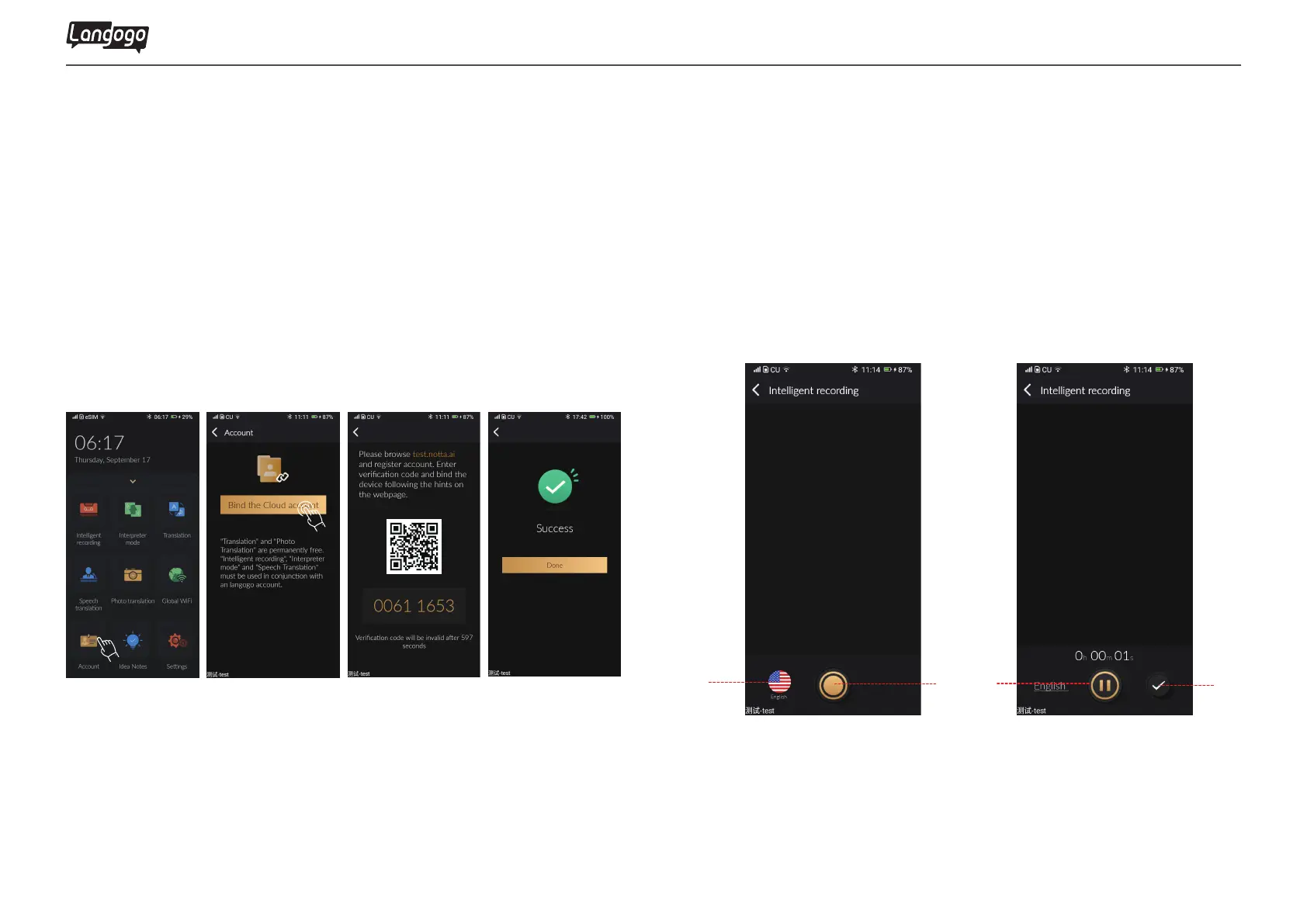
Tap to start recording
Tap the icon in lower left corner to switch languages
Tap to save recording
Tap to pause recording
13
3. Member Registration
4. Intelligent Recording
4.1 Intelligent recording icon
A
A
C
C
B
B
D
D
①Tap 【Account】,select 【Bind the Cloud account】
②Enter the website www.notta.ai on desktop to register a mem-
bership, and then log in (please use half-width input method)
③Tap to expand the left menu, select【My Device】, enter 8-digit
verification code, and immediately bind the Summit device
④Once the device shows receipt is successful and the experience
begins immediately
Langogo Summit User Manual


 To Next Page