17
6. Speech translation
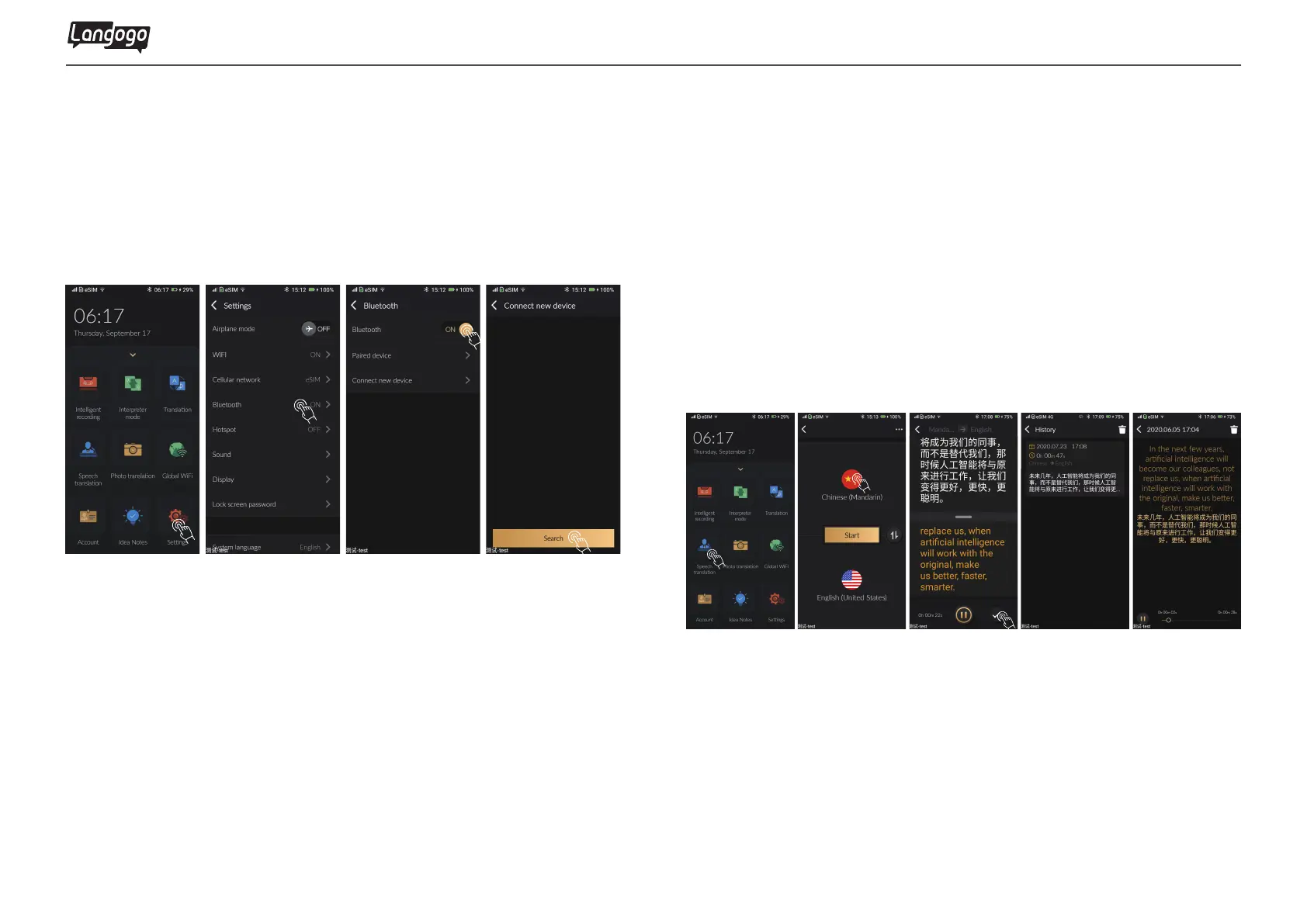
5.3 How to set up your TWS earphones
① Tap
【
settings】 to enter the Bluetooth page
②Turn on the Bluetooth
③Search Bluetooth device and start pairing
① Tap
【
Speech Translation】 function
② Tap the country or region icon to select relevant language
③ Tap to start, and then point the device at the speaker and
immediately transcribe and translate
④ Tap to the pause after the lecture
⑤ Viewing history records, listen to audio with dual language
texts highlight
Langogo Summit User Manual
In order to let you enjoy a more natural conversation effect, we recommend
that you wear a TWS split Bluetooth headset when using the Interpretation
Modefunction.


 To Next Page