16
A
C
B
D
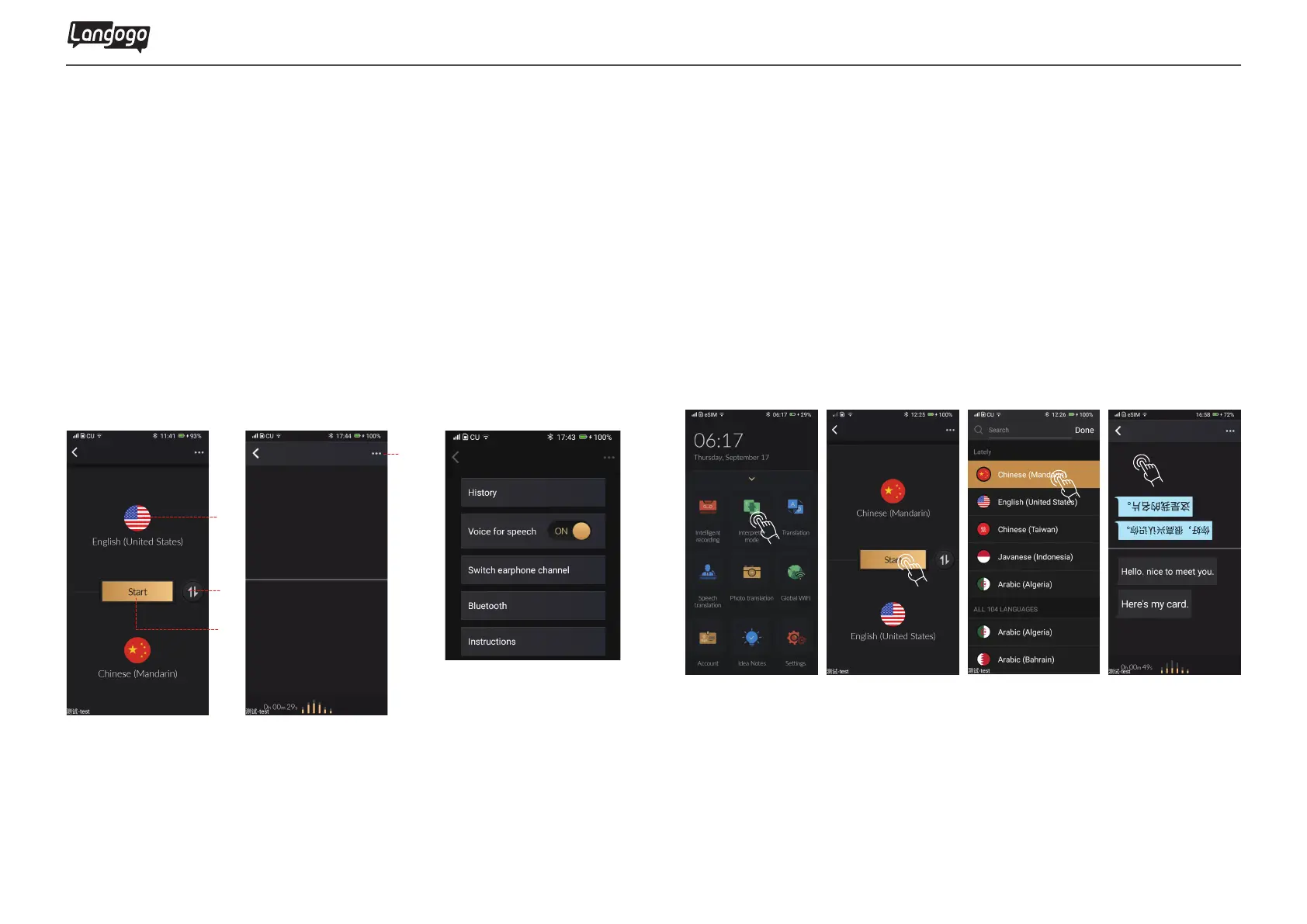
Tap to switch languages
Tap the country or region to switch language
Tap the three-point icon to activate accessibility function
Tap to start conversation
A
C
B
D
5. Interpretation Mode
5.1 Interpretation Mode icon
5.2 Interpretation Mode
① Tap
【
Interpreter mode】
②Select the language and click the Start button to start the
conversation
③ During the conversation, dual language texts are instantly
displayed on the screen, and voice broadcast
④During the translation process, touch anywhere on the screen
to pause, tap the top back icon to exit the page
Langogo Summit User Manual


 To Next Page