Langogo Summit User Manual
18
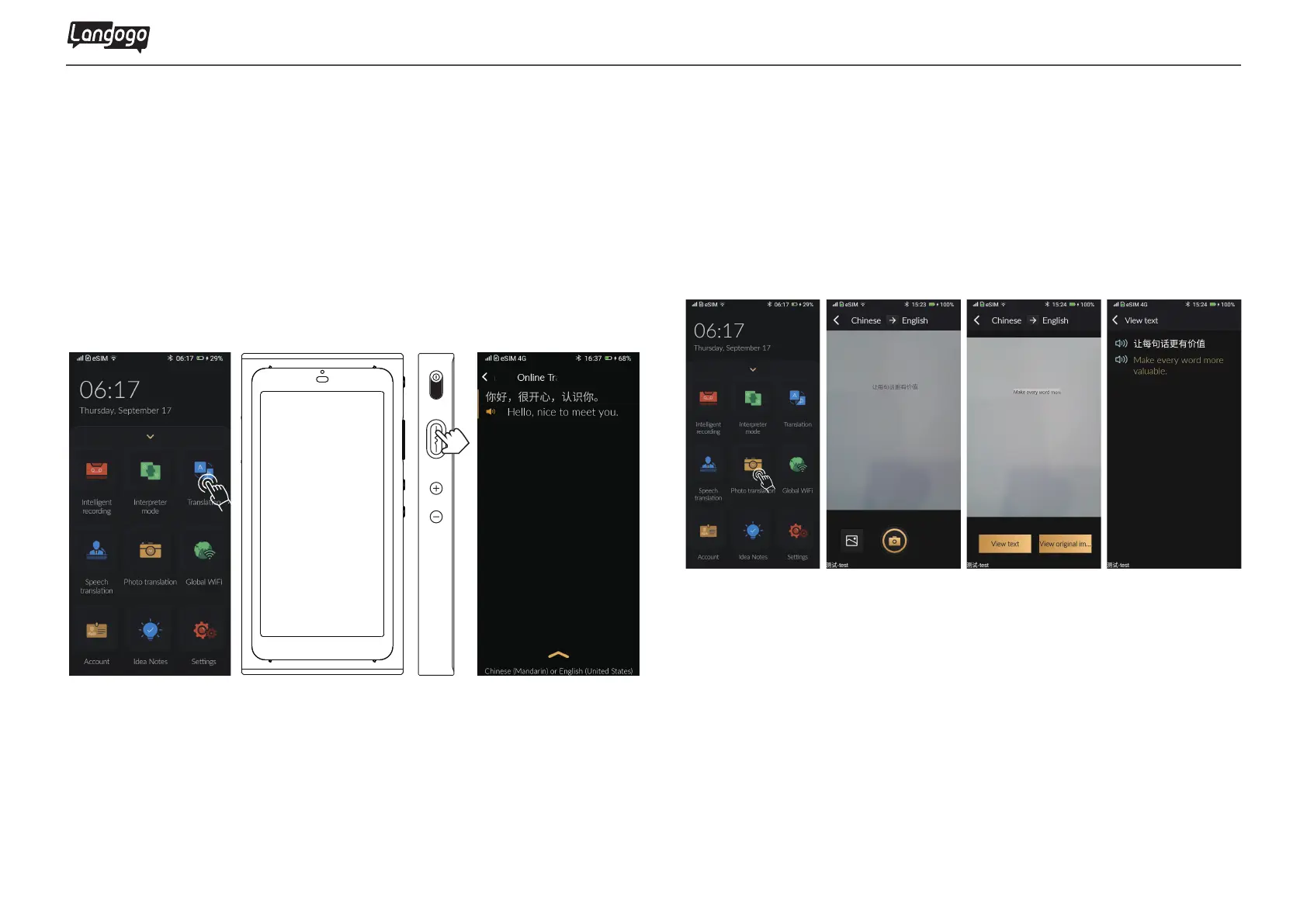
7. Translation 8. Photo Translation
①Tap
【
Translation】 icon to enter the translation page
②Press and hold the multi-function button to start talking
③Release the button to play the instant voice and text translation
①Enter the
【
Photo Translation】 function and select language
②Take a photo with foreign language contents
③Select the text to view translation result, and tap the speaker
icon to play voice
Note: Translation supports quick shortcut key operation. Press and hold the
multi-function button on the right to start speaking and translate.


 To Next Page