44
Attaching Rail Brackets
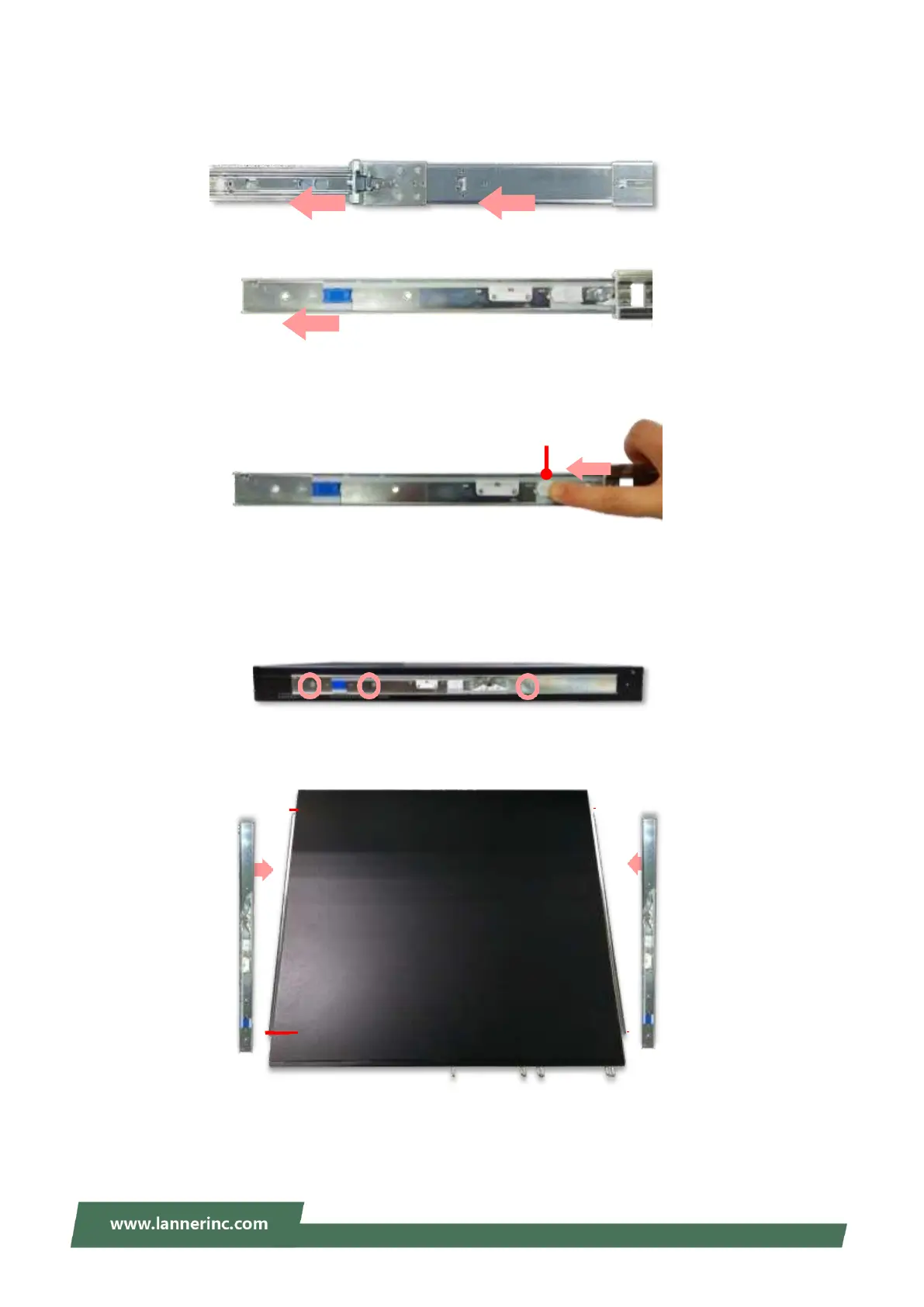
1. Unpack a slide rail and slide the inner channel to its end.
2. Slide the rail bracket out to its end.
3. To detach the rail bracket from the channel, locate and push the Release Tab on the rail bracket while
sliding it out.
4. Align the rail bracket to the side of the chassis and make sure the screw-holes are matched, and then
secure the bracket onto the chassis with three (3) provided screws.
5. Repeat Steps 1~4 to attach the rail bracket to the other side of the chassis.
Release Tab



 To Next Page