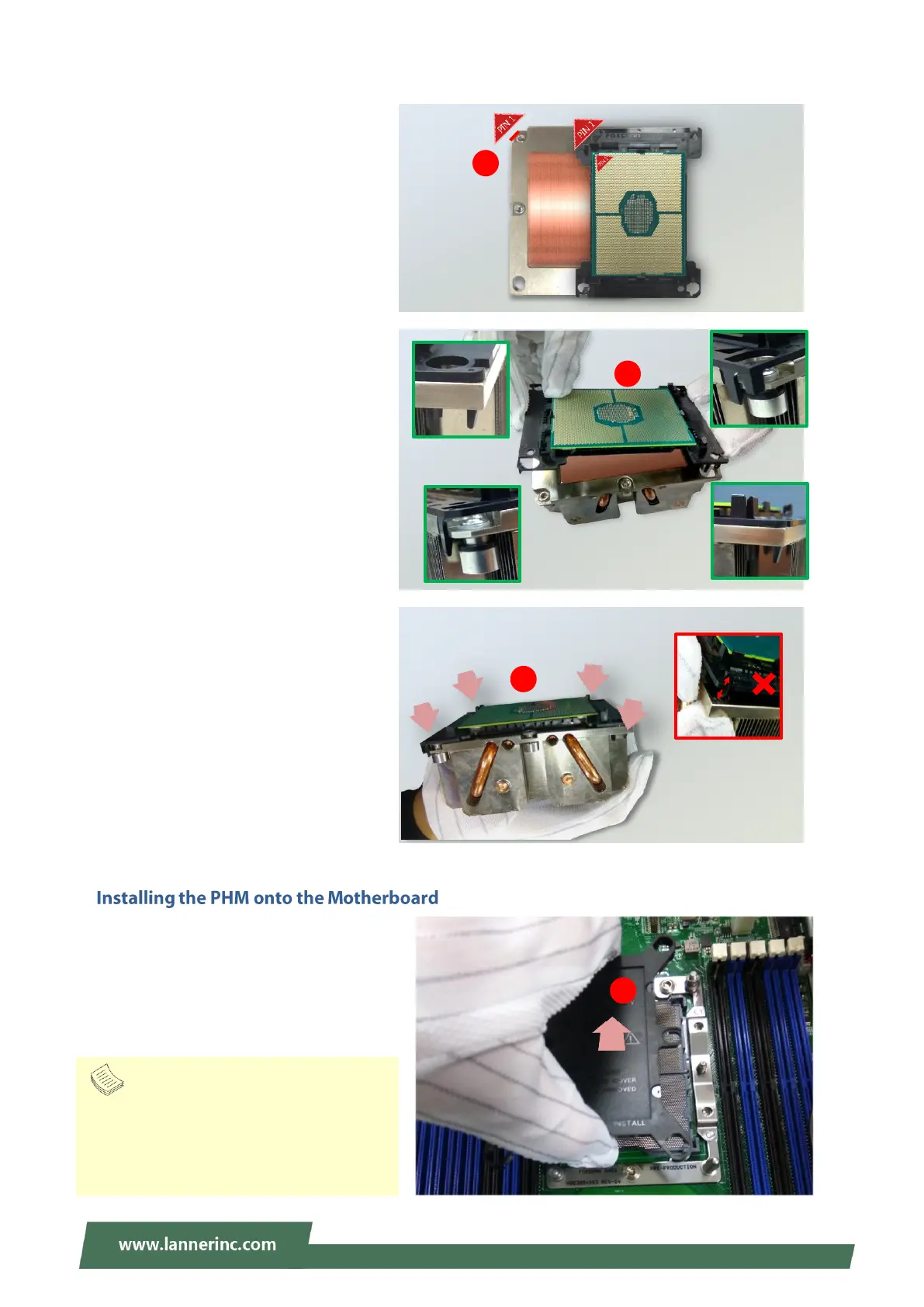
4. Align PIN1 of the processor with the
corner cutout of the heat sink (if
there are two corner cutouts on one
heat sink, either will do).
5. With a little pressure, push the four
corners of the carrier down to
engage their latching features with
the corresponding corners of the
heat sink. You might hear a clicking
sound when the latch clicks into
place.
6. Inspect the four corners to make sure
the latches are all engaged. If
correctly latched, the corners of the
carrier should be tightly attached to
the heat sink, with no gap
in-between observed.
Note
Inspect the surface of the socket under
sufficient light to ensure there is no
contamination or damage prior to the PHM
installation.



 To Next Page