27
-
..
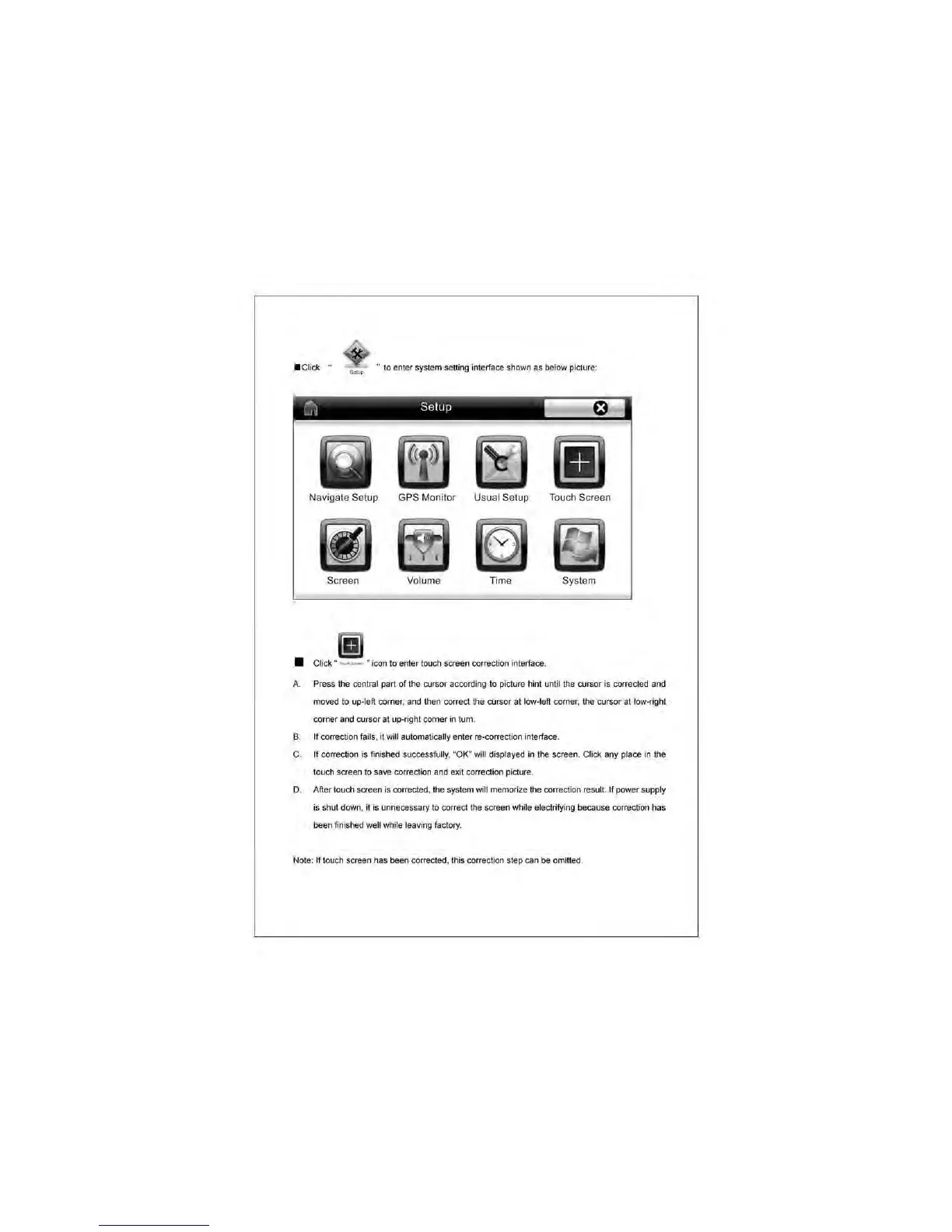
to
enter system setting interface shown as
below
picture:
~
Setup
Navigate Setup GPS Monitor Usual Setup Touch Screen
System
• Click " • icon
to
enter touch screen correction interface,
A.
Press
the central
part
of
the
C>Jrsor
according
to
picture hint until
the
cursor is corrected
and
mo...ed
to
up-left
corner
. and then correct
the
aJrsof
at low-left
comer
, the
aJrsof
at low-right
corner and cursor
al
up-right
comer
in
tum.
B. If correcHon fai
ls
. it
wi
ll automa
ti
ca
lly enter re-correction interface.
C. If
correction
is
finished successfully, ·
OK
" will displayed in the screen. Click
any
place in the
touch screen to save corredion and
exil
correction pidure.
D. After touch screen
is
corrected. the system will memorize the correction result.
If
power supply
is
shut
down
.
it
is
unnecessary
to correct the screen
whHe
ele1::lrifying because correction
has
been
finished well while leaving factory.
Note: If touch screen has been corrected. this correction step
can
be
omitted.



 To Next Page