51
NAME SET
UP
OPTIONS SPECIFICATION
OSD
Englishfchinese/Japane Select the Language
as
the screen
Language se/ArabidGermanf shows
User Russia/Thai
setting
Wall Page P1/P2/P3 Select the background picture for the
Main
UI
Load
Yes/No When select
"yes", system selling will
Factory automatically return back
to
the load
factory
Sys Info On/Off When select"on", will pop
up
the
software version information,
Car Logo On/Off
When select"on"will enter into
the
car
logo interface,
as
picture
(36).
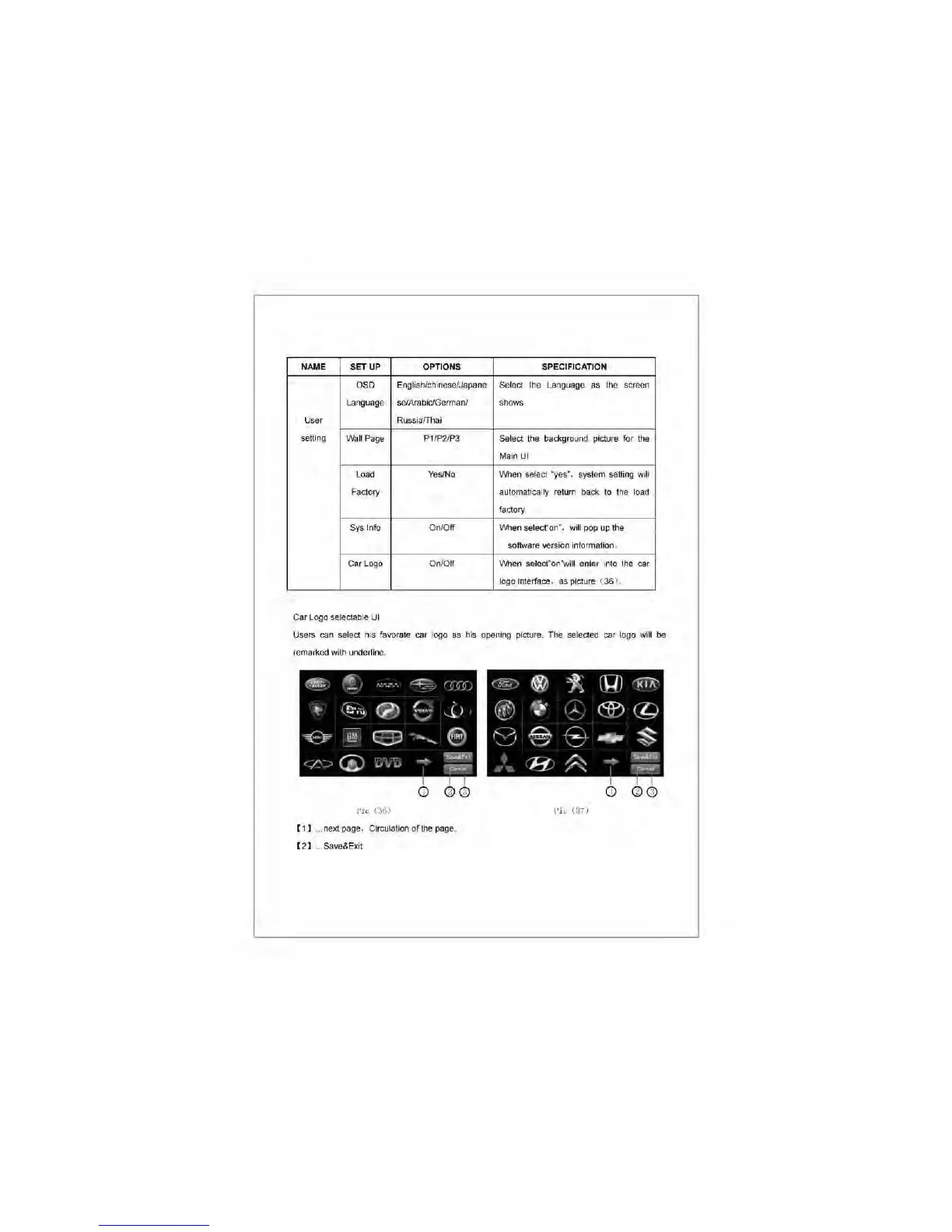
Car Logo selectable
UI
Users can select his favorate car logo
as
his opening picture. The selected car logo will
be
remarked with underline.
""'-',
.,.~
R!JV!"
,
i
~
"
=,
-
~
-./
(r;~r;
)
C~J
@
1;.
(Q)
"1<ii\'
0:~~
i
(7)
!".VO
"'
)
®
.rI..
..
r,
®
©
•
"
-l
'/
"
/
-
~
~
E3J
.:~
-.......
9
f.:~-;>,
§'
E}
.,j;6
S
~
®
~
R
~~
~
~
<~-::-)
Canc"
1
c;;;;;;;;;-
D
@
!II
D
@
!II
Pic
C3iJ)
Pic
(:37)
[1]
... next page, Circulation
of
the
page.
[2]
Save&Exit



 To Next Page