Spartan 821/721 Manual Selecting Settings 24
3.1 Selecting Settings
To prepare the 721/821 for an SLM measurement, complete this section.
On the meter, tap Tools
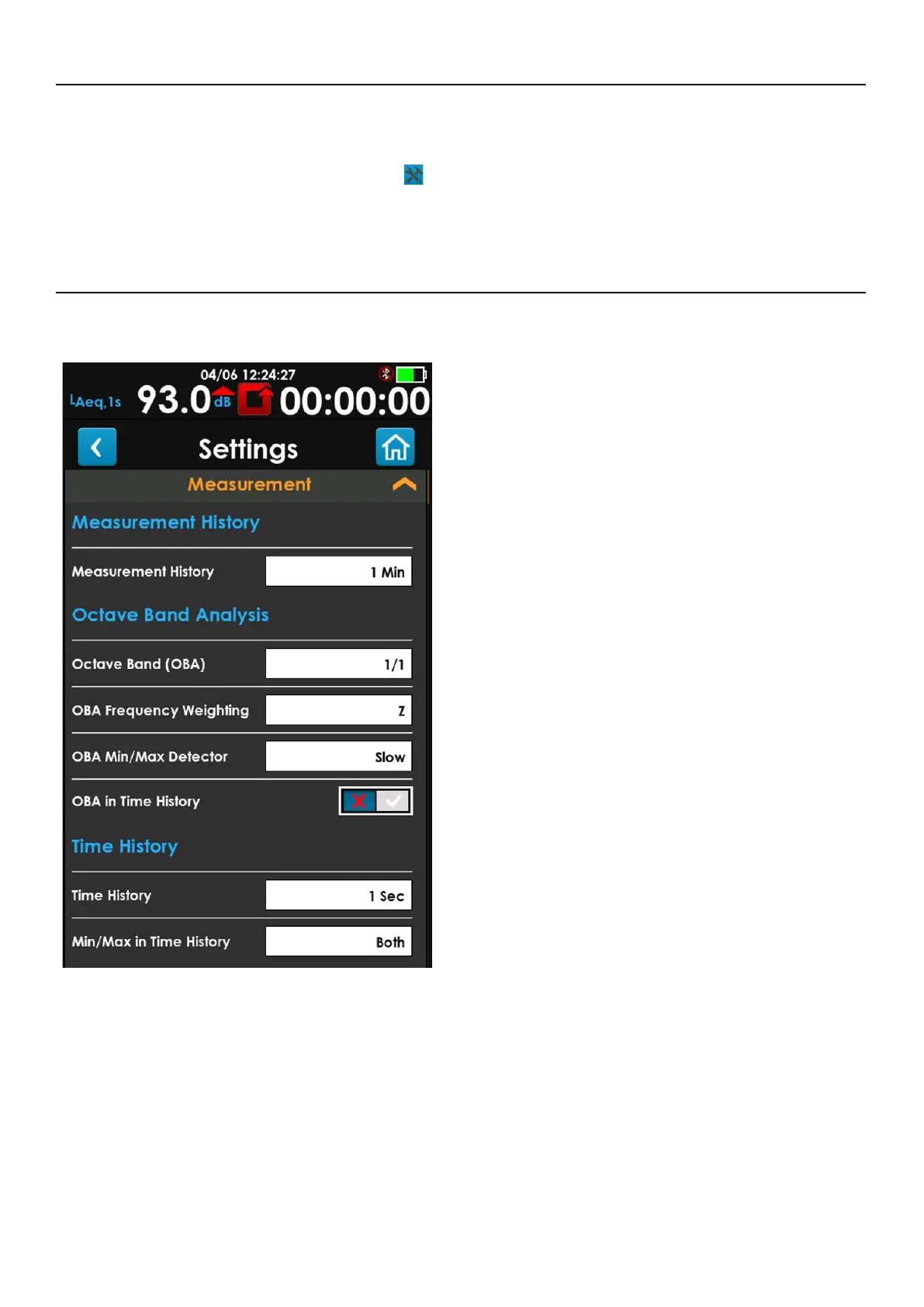
Settings. The Measurement settings appears, as shown in
Figure 3-1.
3.2 Measurement Settings
FIGURE 3-1 Measurement Settings Card
• Measurement History
Enables you to segment the data gathered
between Run and Stop into measurement
intervals at the specified duration (1 min to 6
hour). Measurement intervals are individual
records within a single data file.
• Octave Band (OBA)
Includes full or third Octave Bands in the overall
summary. Turning off OBA will hide other OBA
settings.
• OBA Frequency Weighting
Select the weighting (A, C, or Z) for the Octave
Bands.
• OBA Min/Max Detector
Specifies the detector (Impulse, Fast, or Slow)
used for the computation of Lmin and Lmax.
• OBA in Time History
Select whether to include Octave Band data with
each Time History record.
• Time History
Enables the recording of a table of metrics at the
selected regular intervals. The meter will display
a graph of the metrics in the time domain.
Choose “Off” to disable Time History.
• Min/Max in Time History
Choosing Min, Max, or Both will enable the Time
History to include Min, Max or Both for all
available metrics, including OBA.



 To Next Page