Spartan 821/721 Manual Markers Settings 34
3.10 Markers Settings
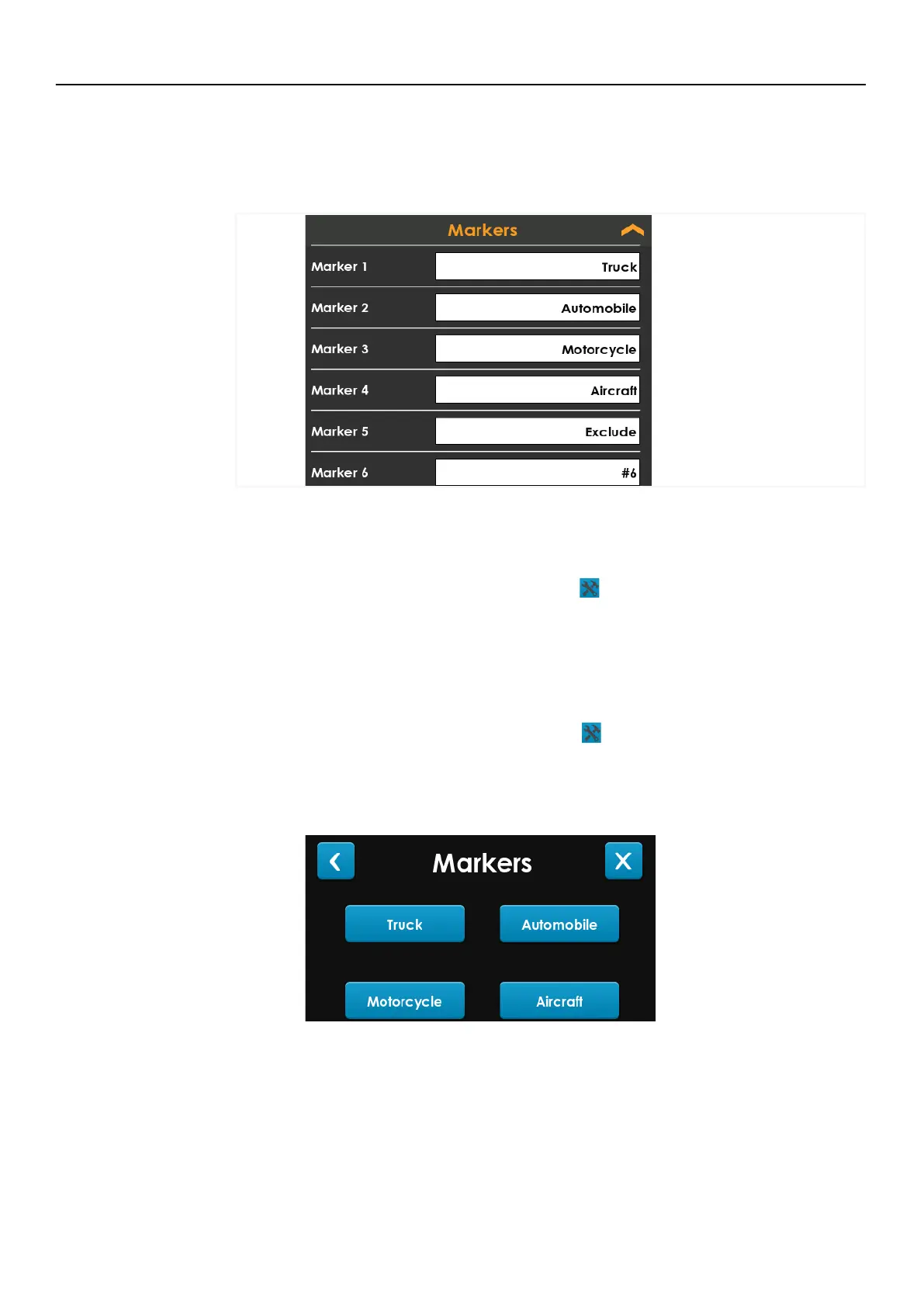
The meter sound markers allow you to label segments of the resulting measurement data.
One common application is to identify data impacted by human or animal interference
during outdoor noise monitoring.
FIGURE 3-8 Marker Settings
Prior to beginning a measurement, edit marker labels to suit your purpose. Then during
the measurement, mark the sound type as described in this section.
Step 1. Prior to the measurement, go to Tools
Settings on the meter, and expand
the Markers card.
Step 2. Verify or edit marker label fields to suit the measurement.
Step 3. Close the Settings screen to return to the Live view.
Step 4. During the measurement, go to Tools
Markers. Select the marker at the
appropriate time to label that segment in the resulting data file.
LEARN MORE To view markers in the data file, open the file in G4 LD Utility. For
more information, see the G4 LD Utility Manual in G4 (Help
Manuals G4 LD
Utility) or from www.LarsonDavis.com.



 To Next Page