Spartan 821/721 Manual Calibration Settings 28
3.5 Calibration Settings
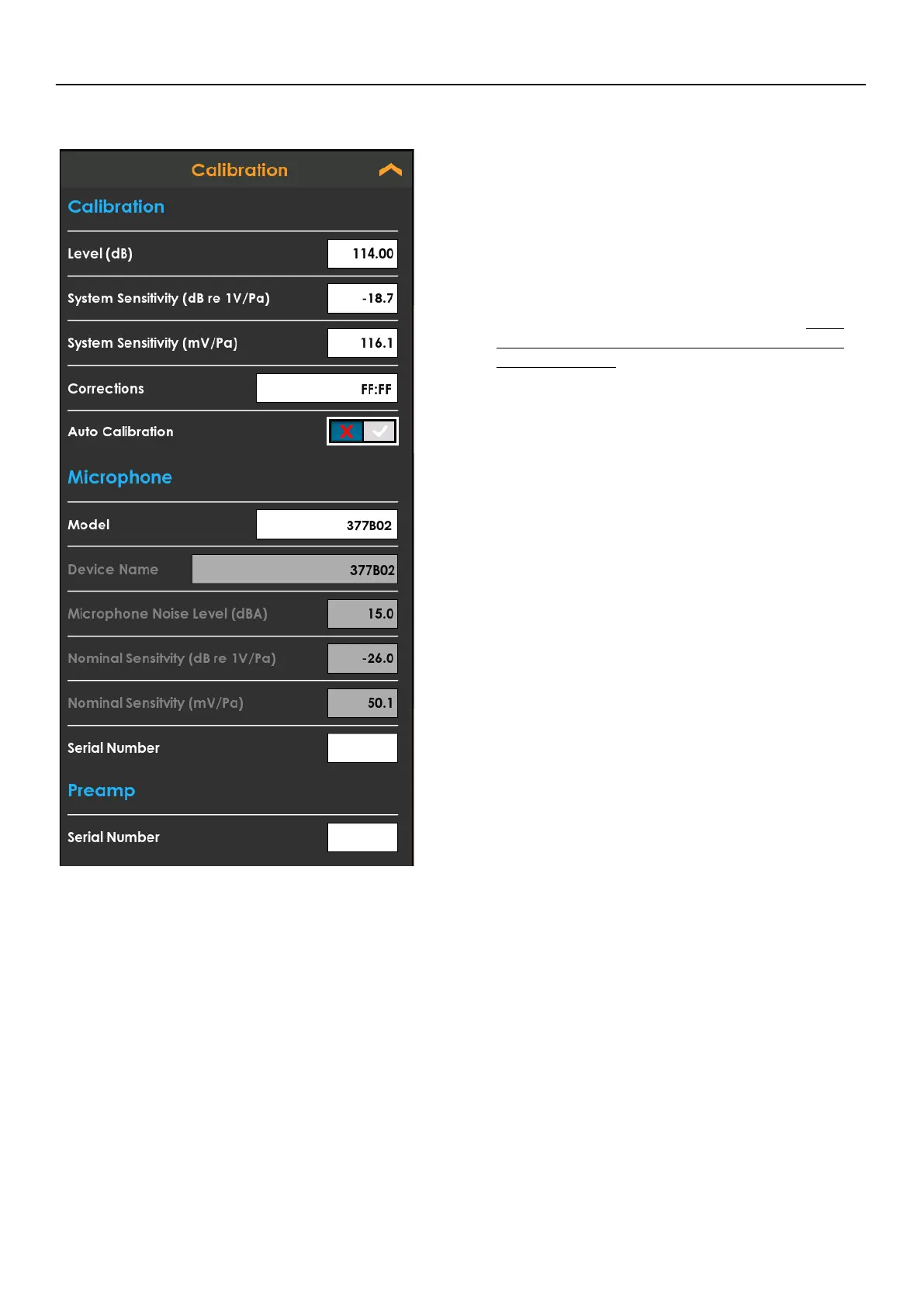
FIGURE 3-4 Calibration Card
• Level
Set the Calibrator output level.
• System Sensitivity
Set the system sensitivity either in dB re 1V/Pa or
mV/Pa.
• Correction
Select the correction filter. See A.1.4
Microphone Model 377B02 Filter Response
and Corrections
• Auto Calibration
Enable the meter auto calibration feature, which
will detect when a calibrator tone is injected
around the calibrator level while reset or
stopped.
• Microphone settings
Select the microphone attached to the system
and enter it’s serial number to be stored with
measurement data. Custom microphone
information can be entered using the “Other”
model option
• Preamp Serial Number
Enter the Preamp serial number. Supported
Larson Davis preamp types are detected
automatically



 To Next Page