Spartan 821/721 Manual Utilizing the Files View 35
Chapter 4 Managing Measurement Data Files
A new data file is created or appended each time you manually or automatically store
measurement results. The meter comes with industrial-quality internal storage, which can
also be backed up to your PC via G4 LD Utility.
In this module:
4.1 Utilizing the Files View - - - - - - - - - - - - - - - - - - - - - - - - - - - - - - - - - - - - - - - - - - - - - - - - - - - -35
4.1.1 Viewing a Measurement Data File
4.2 Managing SD Card Storage - - - - - - - - - - - - - - - - - - - - - - - - - - - - - - - - - - - - - - - - - - - - - - - -36
4.2.1 Preparing a MicroSD Card For Use
4.1 Utilizing the Files View
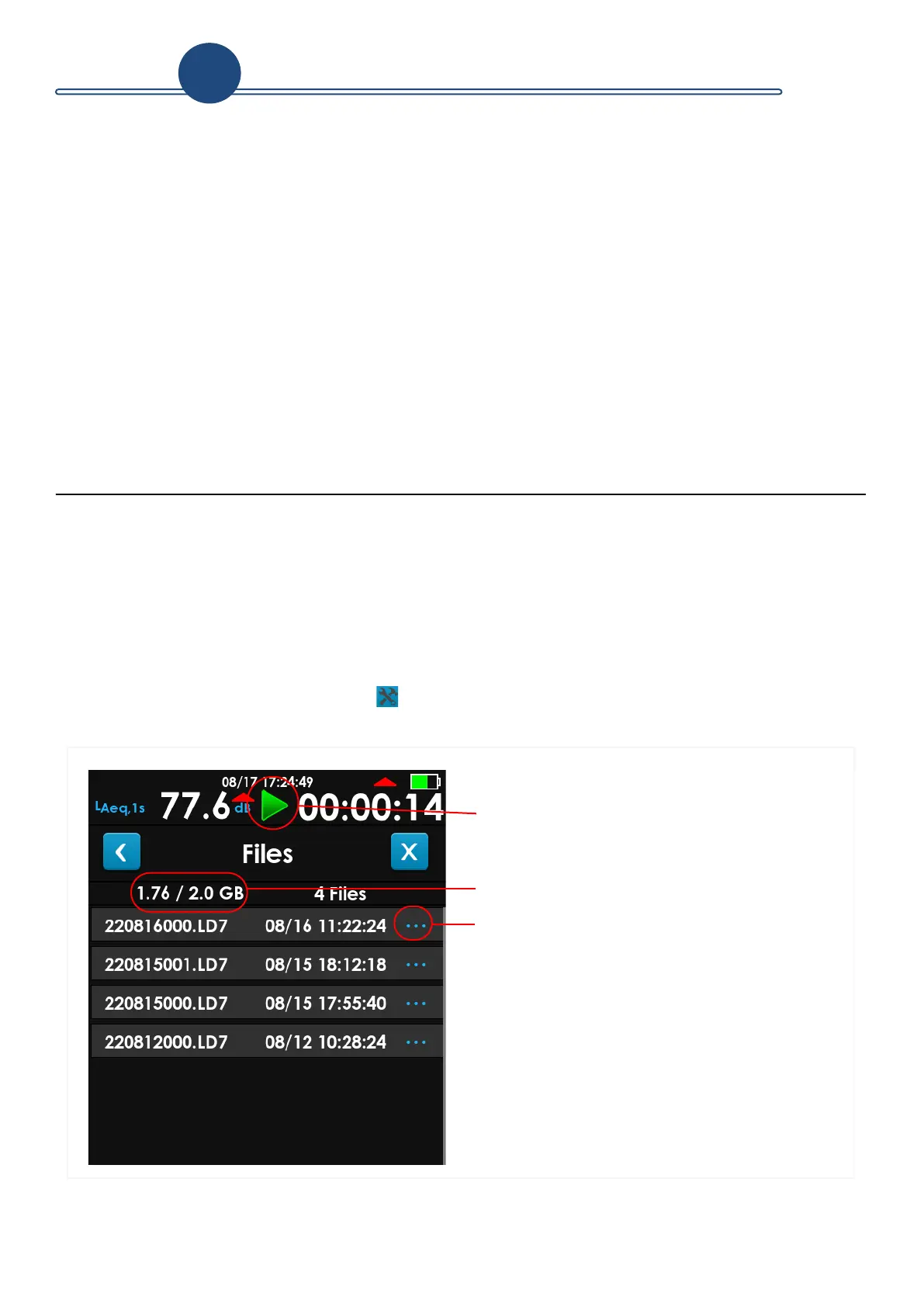
The Files view is accessible on the meter even during a measurement. It lists the saved
data files created with the meter. Recently saved files display at the top of the list.
TAKE NOTE G4 LD Utility software provides a larger visual display for resulting data
files. For more information, see the G4 LD Utility Manual; available on the included
LD USB drive or from www.LarsonDavis.com.
Step 1. Tap Tools
Files to open the Files view.
FIGURE 4-1 721/821 Files View
1. The current measurement can be running,
paused, stopped, or reset while viewing the
data file list.
2. Used Memory / Total Storage
3. Tap to view additional file details. This will
show a few details for the file including
runtime, measurement LAeq, and file size.
4



 To Next Page