24
25
2
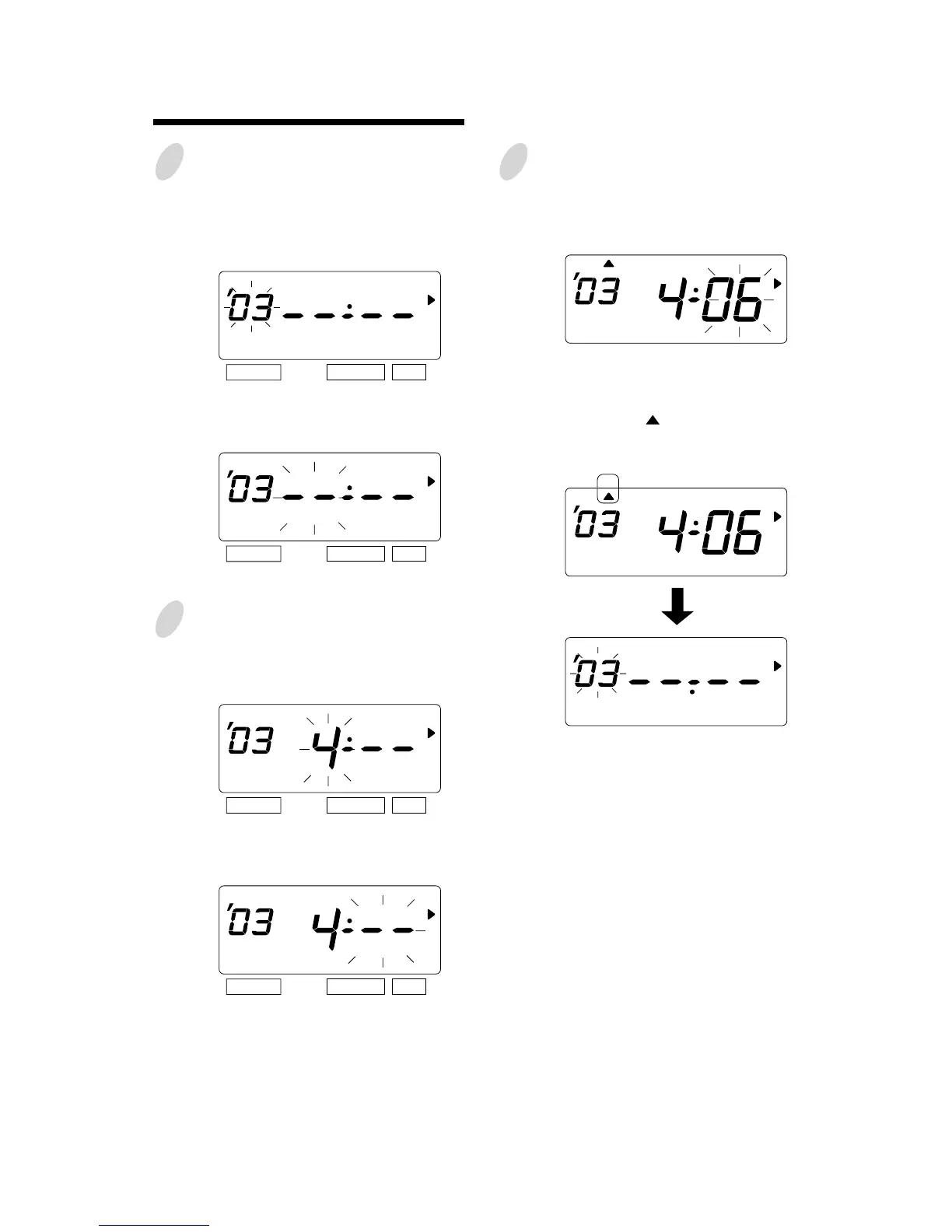
Change the "Year".
In case of the example, press the
[SET] button because the year 2003 is
not to be changed.
At the moment, the flashing changes
from "Year" to "Month".
4
Change the "Date".
Push the [CHANGE] button to set at
"6" and push the [SET] button.
At the moment, the "startingt date" of
the display changes from flashing to
steady and the " " mark is displayed
under "SU".
After a few second, go on to the "set
the ending date".
Please see the following page.
SELECT CHANGE SET
SELECT CHANGE SET
SELECT CHANGE SET
SELECT CHANGE SET
3
Change the "Month".
Push the [CHANGE] button to set at
"4" and push the [SET] button.
At the moment, the flashing changes
from "Month" to "Date".
Set the starting date.
SU
SU
MO TU WE TH FR SASU



 To Next Page